Goran Štimac
Astro + CloudCannon: The Perfect Stack for Multilingual Client Presentation Sites
Introduction
Every developer has faced this scenario: you’ve built a stunning, lightning-fast website with Astro, but when your client calls asking to update content—or worse, translate it into multiple languages—you realize the editing experience was never part of the plan. You’re left either showing them raw Markdown files or recommending WordPress, which defeats the purpose of static site performance.
Traditional CMS solutions like WordPress are overkill for performance-focused static sites. They introduce database dependencies, bloat slow page loads, and require ongoing maintenance that clients often underestimate. Manual content updates don’t scale—imagine managing translations across five languages when you need to update a single pricing change or add a new service.
The solution lies in combining the best of both worlds: developer-controlled architecture with client-friendly editing capabilities. Astro paired with CloudCannon delivers exactly this—a static site generator that pre-renders pages at build time for blazing-fast load speeds, coupled with a headless CMS that requires no database or WordPress migration. This combination supports multiple languages out of the box while keeping your codebase clean and performant.
This setup is particularly valuable for Croatian markets where businesses increasingly need content in English, German, and Croatian without technical overhead. Whether you’re building a client presentation site for an agency in Zagreb or helping international clients manage their own multilingual content, Astro + CloudCannon provides the flexibility needed without sacrificing performance.
Architecture Overview
Static Site Generation with Astro
Astro transforms how we build modern websites by pre-rendering pages at build time rather than relying on client-side JavaScript. This approach delivers several critical advantages:
Zero JavaScript by default: Unlike React or Vue frameworks that bundle entire JavaScript applications, Astro ships minimal JavaScript—only what’s absolutely necessary for interactivity. This dramatically improves Core Web Vitals scores and reduces the risk of JavaScript errors affecting user experience.
Automatic code splitting and tree shaking: Astro intelligently analyzes your components and only includes the JavaScript needed for each page. Unused code is stripped out during the build process, resulting in smaller bundle sizes and faster page loads.
Optimized image delivery: Astro automatically optimizes images during builds, converting them to modern formats like WebP and AVIF while maintaining quality at appropriate sizes for different screen resolutions.
CloudCannon Integration
CloudCannon serves as a headless CMS specifically designed for static site workflows. Unlike traditional content management systems, it doesn’t require database dependencies or complex backend infrastructure:
Direct integration with Astro builds: CloudCannon syncs directly with your Markdown files during the build process. No API calls or custom integrations needed—the workflow is seamless and predictable.
Content stored in Markdown files: Writers and clients familiar with content management will appreciate that all content lives in familiar Markdown format. This means no learning curve for content teams already comfortable with static sites.
Real-time collaboration: Multiple team members can work on content simultaneously, with changes visible in real-time through CloudCannon’s web interface. Version control ensures everyone can track and revert changes as needed.
Build Workflow
The entire workflow follows a simple, linear process:
CloudCannon (Content Editing) → Markdown Files → Astro Build Process → Static HTML + CloudFlare/Vercel HostingContent editors update pages through the CloudCannon dashboard, which syncs changes to your Markdown files. The Astro build process then compiles these files into static HTML that can be deployed anywhere—whether you’re using CloudFlare Pages for free hosting, Vercel for edge deployment, or Netlify for continuous integration.
Key Benefits
For Developers
-
Full control over codebase – Your content is stored in Markdown files within your Git repository, giving you complete ownership and version control. No database bloat or hidden dependencies to worry about.
-
Performance optimization – Sites built with this stack typically achieve Lighthouse scores of 95+ on all metrics. The combination of static generation and minimal JavaScript delivery ensures fast load times across all devices.
-
Version control friendly – All content lives in Git alongside your code, making it easy to audit changes, rollback updates, and maintain a clear history of what changed and when.
-
Simpler hosting – Deploy to any static site host without configuration. CloudFlare Pages offers free hosting with global edge network, while Vercel provides automatic optimizations and preview deployments for every pull request.
For Non-Technical Clients
-
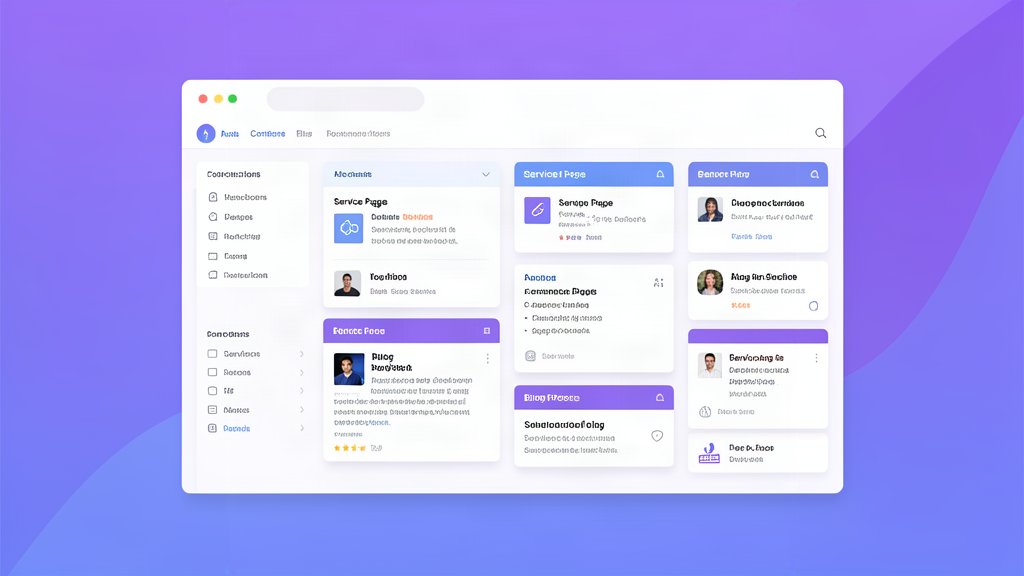
WYSIWYG editing – The CloudCannon interface provides a visual editing experience similar to WordPress or Wix, but without the complexity. Clients can edit content using familiar formatting tools without learning Markdown or dealing with code.
-
No downtime for updates – Edit anytime and preview changes before publishing. CloudCannon’s preview feature lets clients see exactly how their changes will look before they go live, reducing anxiety about breaking the site.
-
Role-based access – Assign different permission levels to team members. Content writers can edit text, while designers might have access only to visual elements or approved sections.
-
Multilingual dashboard – Switch between languages seamlessly in the editing interface. Clients can update content for each language independently without confusion or accidental overwrites.
For Agencies
-
Scalable workflow – Hand off content management to clients without losing code ownership. The static site architecture ensures you maintain full control over performance and security while giving clients the editing tools they need.
-
Faster onboarding – Clients learn the CloudCannon editor in hours, not weeks. The intuitive interface requires minimal training compared to traditional CMS platforms.
-
Reduced support burden – Fewer “how do I change this?” calls after launch because the client has a clear, visual interface for making updates themselves.
Multilingual Approach
Astro’s Native i18n Support
Astro 4.0 introduced built-in internationalization features that make multilingual websites straightforward to implement:
Locale-based routing: Create separate URLs for each language using the pattern /hr/, /en/, /de/. This approach is SEO-friendly and clearly indicates the language of each page to both users and search engines.
Automatic language detection: Astro can detect the user’s preferred language from browser settings or URL parameters, automatically serving the appropriate version of your site without requiring manual selection.
Content collections organized by locale: Organize your content files into separate folders for each language, making it easy to manage translations and maintain consistency across languages.
CloudCannon Multilingual Editing
CloudCannon’s interface is designed specifically for multilingual workflows:
-
Language selection in dashboard sidebar: Clients can switch between available languages from the sidebar, seeing all translations for a page simultaneously.
-
Side-by-side translation view: View English and Croatian (or any other language pair) side by side, making it easy to ensure translations are accurate and consistent.
-
Edit one language at a time: Changes in one language don’t affect others, preventing accidental overwrites or mixed-language content issues.
-
Preview before publishing: Test changes in a preview environment before pushing to the production branch, ensuring quality control across all languages.
URL Structure Recommendations
When implementing multilingual sites, choose the appropriate URL structure based on your target markets:
Subdirectories (recommended): yoursite.com/hr/usluge/ for Croatian services, yoursite.com/what-i-do/ for English. This approach is SEO-friendly, keeps all content under one domain authority, and clearly indicates language through the URL path.
Subdomains: hr.yoursite.com/ for completely separate markets that might need different hosting or legal requirements. While this provides isolation between markets, it splits domain authority and requires more complex DNS management.
Parameters (not recommended): URLs like yoursite.com?lang=hr should be avoided as they hurt SEO by creating duplicate content issues and confusing search engines about which version is canonical.
Croatian Localization Considerations
When targeting Croatian markets, several localization factors are important:
Language direction: Croatian uses LTR (left-to-right) text direction like English, but if you’re expanding to include Arabic or Persian content later, plan for RTL support from the start.
Date formats: Croatian users expect DD.MM.YYYY format (e.g., 23.06.2026), not the MM/DD/YYYY used in some other regions. Ensure date formatting is consistent throughout the site.
Currency display: Use EUR formatting familiar to Croatian consumers with proper spacing: € 199,95 rather than €199.95. This attention to detail improves credibility and user experience.
Typography considerations: Consider Cyrillic support for regions where Serbian and Croatian have co-official status, particularly in border areas of Croatia.
Legal compliance: Ensure GDPR-compliant data collection forms and privacy policies are in place, especially when using third-party analytics or tracking services.
Technical Implementation Notes
Required Setup Steps
-
Install CloudCannon CLI: Run
npm install -g @cloudcannon/cliglobally on your development machine. This tool enables local preview environments and direct content syncing. -
Initialize in Astro project: Navigate to your project directory and run
cloudcannon init --project my-site. This creates the necessary configuration files and folder structure for CloudCannon integration. -
Configure locales in astro.config.mjs: Define your available languages and default language in your Astro configuration:
import { cloudcannon } from 'astro-cloudcannon';

export default defineConfig({
  integrations: [cloudcannon()],
  i18n: {
    locales: ['en', 'hr', 'de'],
    defaultLocale: 'en'
  }
});
Content Collection Structure
Organize your content files logically for maintainability:
src/
├── content/
│   ├── en/
│   │   └── pages/
│   │       ├── index.md
│   │       └── uslugi.md
│   └── hr/
│       └── pages/
│           ├── index.md
│           └── usluge.md
This structure keeps languages separate and makes it easy to add new languages or pages without confusion.
Build and Deploy Pipeline
-
Local development: Run
cloudcannon devto start a local preview server that syncs with your CloudCannon instance in real-time. This is perfect for testing content changes before deployment. -
Production build: Execute
npm run buildto compile your site. CloudCannon will automatically sync any pending content updates during the build process. -
CI/CD integration: Set up GitHub Actions or similar CI/CD tools to automatically build and deploy when you push changes to the main branch. This ensures every update is tested and deployed consistently.
Conclusion
Astro + CloudCannon solves a fundamental problem in modern web development: balancing developer control with client accessibility. You get the performance benefits of static site generation—fast load times, excellent SEO scores, and minimal JavaScript—while providing your clients with an intuitive interface for managing content across multiple languages.
When to use this stack:
- Client presentation websites requiring frequent updates without sacrificing performance
- Multilingual sites where each language needs independent editing and management
- Projects prioritizing Core Web Vitals and search engine optimization
- Agencies that want to maintain code ownership while empowering clients with self-service tools
Future considerations: As the ecosystem matures, you might explore automated translation workflows using services like DeepL or Google Translate APIs for initial translations. A/B testing tools can help optimize content performance, while analytics integration remains straightforward without JavaScript bloat.
The key is to start small—implement this setup on a minor project first to understand the workflow before scaling to full client handoffs. Once you’re comfortable with the process, you’ll find that client satisfaction increases dramatically as they take control of their content management without technical barriers.
For those ready to begin, the Astro documentation provides comprehensive guides on internationalization, and CloudCannon’s official resources offer detailed integration tutorials. With this stack, you can build websites that are both technically impressive and practically useful for non-technical users.
Related areas
Related What I Do
These What I Do pages are matched from the subject matter of this article, creating a cleaner path from educational content to implementation work.
Continue reading
Related articles
Based on shared categories first, then the strongest overlap in tags.