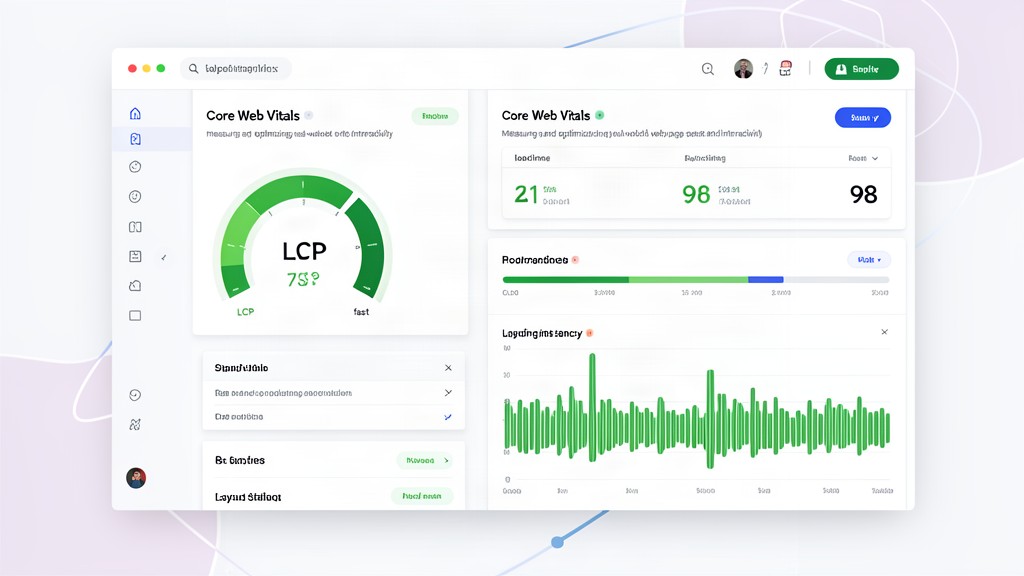
The INP era did not make performance work easier. It made the failures more honest. In the August 2026 Chrome UX Report, only 55.6% of origins passed all three Core Web Vitals. LCP was good on 68.1% of origins, CLS on 81.5%, and INP on 85.3%.[1] The overall pass rate peaked at 56.5% in March, while good INP fell from 87.2% to 85.3% by August. Chrome’s release notes say the cause of that regression is still unknown.[1]
That is a useful correction to the usual “just improve your Lighthouse score” advice. The thresholds did not change: a passing experience still means LCP at or below 2.5 seconds, INP at or below 200 milliseconds, and CLS at or below 0.1 at the 75th percentile of field data.[2][3] The claim that Google quietly changed the LCP target to 2.0 seconds in 2026 is not supported by Google’s current documentation.[2]
Start with LCP, not INP
LCP remains the largest statistical gap. Images are the LCP element on 85.3% of desktop pages and 76% of mobile pages in the 2025 Web Almanac data, published in January 2026.[4] Yet roughly 16–17% of pages still lazy-load that image, and only 17% of mobile pages with an LCP image set fetchpriority="high".[4]
For a hero image, remove loading="lazy", use a correctly sized WebP or AVIF variant, and add an explicit high fetch priority:
<img src="/images/hero.avif"
     width="1280" height="720"
     fetchpriority="high"
     decoding="async"
     alt="Product dashboard">
Do not preload every large image. Preload only the resource that is the LCP candidate on that route, and make the preload URL match the eventual srcset and sizes selection. If the image is hosted elsewhere, account for the 16–18% of LCP images that are cross-host by adding a narrowly scoped preconnect or, better, serving the asset from the same origin.[4]
Then split LCP into its four delays: TTFB, resource-load delay, resource-load duration, and render delay. Only 44% of mobile sites have good TTFB under 0.8 seconds.[4] A CDN cannot repair a slow origin query, a cache miss that rebuilds a page, or a font and CSS chain that blocks rendering. Measure each segment before choosing the fix.
Find the interaction that lab tools miss
INP is a field metric, so the page that looks fine in a synthetic test can still feel broken on a mid-range phone. The 2025 Almanac found good INP on 77% of mobile origins versus 97% on desktop. Secondary pages were worse than home pages: 69% versus 80% good INP on mobile.[4] Filters, checkout forms, carousels, search overlays, and embedded widgets deserve their own measurements.
Start with a slow interaction, not a bundle-size target. Break long tasks so the browser can paint between chunks, move non-critical work out of the input handler, and yield before expensive DOM updates. Remove synchronous layout reads after writes, especially patterns that alternate classList changes with getBoundingClientRect(). Third-party tags should be measured by origin and loaded only when the user reaches the feature that needs them.
In 2026, the Long Animation Frames API is a practical way to attribute an INP problem. It can expose the script source, forced style or layout work, and blocking duration behind a slow frame.[5] Add that attribution to RUM alongside the interaction name and route. web-vitals can tell you that an interaction is bad; LoAF helps tell you which code made it bad.
Do not optimize only the landing page. A faster home page can hide a slow product grid or a form-heavy account area in your aggregate score. Track route and interaction type, then fix the worst repeatable path first.
CLS is still mostly mechanical
CLS is the best-passed metric in the latest CrUX snapshot, but its remaining failures are often easy to remove. Sixty-two percent of mobile pages still contain at least one image without explicit dimensions, and the median page has two such images.[4] Set width and height or a reliable aspect-ratio before the request completes. Reserve space for ads, consent banners, recommendation slots, and embeds before they load; do not insert them above content after the first paint.
Web fonts add another source of movement. About 87% of mobile pages use web fonts, but only 15–16% preload them.[4] Preload the one font needed for the first viewport, serve only the weights you use, and choose fallback metrics that reduce the swap. Animate transform and opacity, not layout properties such as top, height, or margin; the Almanac found non-composited animations on 40% of mobile pages.[4]
Also check navigation behavior. Cache-Control: no-store prevents the back/forward cache, and unload handlers still appear on roughly one in ten pages.[4] Where sensitive data allows it, replace no-store with a cache policy that preserves bfcache eligibility and replace unload with pagehide or visibilitychange. A Duda case study linked that change to a 1.08 percentage-point LCP improvement and a 1.80-point CLS improvement in CrUX.[4]
Prepare for route-level measurement
Single-page applications have a new reason to instrument navigation. The Soft Navigations API entered its final Chrome 147 origin trial, with route-level Core Web Vitals becoming visible for supported soft navigations later in 2026.[6][7] A route that looks fast on the initial document can still produce poor LCP or INP after a client-side transition. Give every meaningful route a stable name in your RUM data now.
For sites that control the next click, Speculation Rules can make navigation feel faster by prefetching or prerendering likely destinations. WordPress 6.8 shipped support by default, and static sites can adopt the same idea with a conservative allowlist.[8] Use it for likely, safe pages, not every link: prerendering a dashboard, checkout, or personalized response can waste bandwidth or create correctness problems.
The 2026 playbook is therefore simple, but not generic: make the actual LCP image discoverable, split and attribute the long task behind the slow interaction, reserve every dynamic rectangle, and measure secondary routes as carefully as the home page. Use field data to choose the next fix, then verify that fix at the 75th percentile on real devices.
Sources
[1] Chrome UX Report release notes, updated September 8, 2026: https://developer.chrome.com/docs/crux/release-notes [2] Google Search Central, Core Web Vitals and Google Search results: https://developers.google.com/search/docs/appearance/core-web-vitals [3] web.dev, Interaction to Next Paint (INP), updated September 2, 2025: https://web.dev/articles/inp [4] HTTP Archive, 2025 Web Almanac Performance chapter, published January 15, 2026 and updated May 5, 2026: https://almanac.httparchive.org/en/2025/performance [5] MDN, Long animation frame timing, updated March 27, 2026: https://developer.mozilla.org/en-US/docs/Web/API/Performance_API/Long_animation_frame_timing [6] Chrome DevRel, Final Soft Navigations origin trial starting in Chrome 147: https://developer.chrome.com/blog/final-soft-navigations-origin-trial [7] Chrome web-platform documentation, Measuring soft navigations: https://developer.chrome.com/docs/web-platform/soft-navigations [8] WordPress Core, Speculative loading in WordPress 6.8, March 6, 2025: https://make.wordpress.org/core/2025/03/06/speculative-loading-in-6-8/
Related areas
Related What I Do
These What I Do pages are matched from the subject matter of this article, creating a cleaner path from educational content to implementation work.
Continue reading
Related articles
Based on shared categories first, then the strongest overlap in tags.