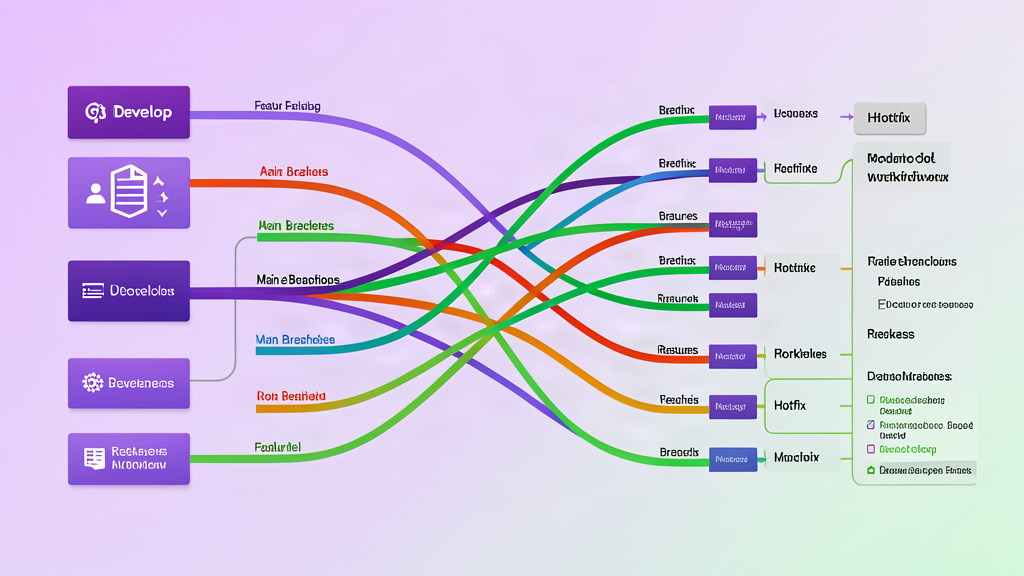
Most Git advice still frames the problem as a choice between two branch names: main or develop. That framing is older than it looks, and it hides the decisions that actually matter. “Main versus develop” was never really about the names. It was a proxy for three real questions: how long do your branches live, how big is each batch of work, and how often do you release? A team that answers those questions well can ship with almost any branching model. A team that answers them poorly will struggle no matter how its repository is organized.
This guide walks through the workflow families in common use — trunk-based development, feature branches in the GitHub Flow style, release branches in the GitLab Flow style, and Git Flow-style processes — and then feature flags, which change the rules of the game entirely. Each section covers the mechanics, the day-to-day practices, and the honest trade-offs. At the end you get a decision framework that maps team size, deployment frequency, and risk to a starting recommendation, plus the mistakes worth avoiding. No single model wins everywhere. The goal is to choose deliberately, keep branches short-lived, and keep history understandable.
Why the main-vs-develop frame is obsolete
The two-branch model comes from Vincent Driessen’s 2010 post “A successful Git branching model”. It gave every repository two permanent branches: main, which always reflects production-ready code, and develop, the integration branch where features landed before a release. Supporting branches — feature/, release/, hotfix/ — had strict rules about where they could branch from and where they had to merge back. For its time it solved real problems: developers got isolation, releases were prepared without blocking new work, and production bugs had a dedicated channel.
The trouble is that the model bakes assumptions that no longer hold for most software. It assumes scheduled releases, it assumes you must support several versions in the wild, and it assumes long integration branches are acceptable. Driessen himself added a reflection in 2020: for continuously delivered software he now recommends a much simpler workflow, and he warns that the model became “a dogma or panacea” instead of a tool. Atlassian’s Git tutorial now calls Gitflow a legacy workflow that is difficult to combine with CI/CD.
The deeper point is that branch names are a distraction. The variables that shape delivery are branch lifetime, batch size, release cadence, and who is allowed to merge. A two-branch model tends to make develop long-lived by default, pushes features into release trains, and lets main drift far from what is actually running. Every workflow below is better understood as a different answer to those four variables than as a diagram of branch names.
Trunk-based development
Trunk-based development is the discipline of merging work into a single shared branch — the trunk, usually main — at least once a day, often several times. Branches exist for hours, not weeks. Each developer breaks their work into small batches, runs the automated tests, and integrates before the change has a chance to drift. A build server verifies every commit, and keeping the build green is a shared responsibility: if CI goes red, someone fixes it immediately or reverts the change.
DORA’s analysis of its 2016 and 2017 State of DevOps data found that teams with three or fewer active branches, merging to trunk at least daily, and avoiding code freezes achieved higher delivery performance. The reports are old, but the mechanism is not: frequent small merges keep every developer’s copy close to reality, so integration stops being a project phase and becomes part of the daily rhythm.
Day-to-day, trunk-based development asks for habits that sound simple and take practice:
- Small batches. A change that fits in a few hours of work is a change that can be reviewed quickly and reverted cheaply. Learning to split a feature into mergeable slices is the hardest skill in this model.
- Fast automated tests. The build should finish in minutes. DORA’s guidance is explicit: a slow build is an architecture problem, not an excuse to merge blindly.
- Review without waiting. Pair programming counts as review. If you use pull requests, treat them as short-lived: open them, review them synchronously, merge them the same day. An asynchronous review that takes two days is a long-lived branch in disguise.
- Green trunk. Every commit should leave the trunk in a working state. Revert first, ask questions later.
Releases work in one of two ways. If you deploy many times a day, you release straight from trunk, tagging the commit you ship. If you need a hardening window or a named version, you cut a short-lived release branch from trunk at the last moment, stabilize it, ship it, and delete it. Bug fixes on a released version are cherry-picked back into trunk, or merged forward, as soon as possible. The trade-off is that this model demands test coverage and CI maturity; a team with no automated tests will simply break trunk all day. It also needs review to stay fast, which is why DORA lists heavyweight, asynchronous code review as a common pitfall.
Feature branches and GitHub Flow
GitHub Flow is the simplest branch-based model that still gives every change a review point. The mechanics are a loop: create a branch from main, make a focused change, open a pull request, run the checks, get an approving review, merge, and delete the branch. main stays deployable at all times, and deploying is the natural consequence of merging.
The practices that make it work are the same ones that make any flow work, applied to a single branch:
- Short, descriptive branch names such as
fix-checkout-timeoutoradd-sitemap. The name is a promise about scope. - Isolated, complete commits. Each commit should be a single change you could revert on its own. A variable rename and its tests belong in separate commits.
- Draft pull requests for early feedback, before the work is complete.
- Delete the branch after merging. GitHub keeps the pull request and its history, so nothing is lost.
GitHub Flow assumes you ship continuously and that main is always releasable, and it breaks down when branches stop being short-lived. A feature branch that lives for three weeks is a hidden develop branch with none of Git Flow’s structure around it. Teams merging many small pull requests a day hit another problem: by the time a pull request’s checks finish, main has moved, and the green result is stale. The standard answer is a merge queue, which batches pull requests, re-runs the checks against the latest main, and merges only what is still green. GitHub documents this as a way to keep a busy protected branch unbroken while automation handles the merging.
Release branches in the GitLab Flow style
GitLab Flow keeps a single main for production and adds branches only when reality demands them. Two variations matter here.
The first is environment branches: pre-production, production, or similar, representing deployment stages. Feature work merges to main; releases progress through the environment branches, so you always know exactly what is running where. This suits teams with staged deployments and audit requirements — you can say with confidence what code is in staging versus production.
The second is versioned release branches, used when your product must ship named versions or support several versions at once. A current version branch receives features and hotfixes; legacy branches receive hotfixes and security releases only. GitLab’s documentation makes the critical rule explicit: if you keep long-lived release branches, you must define and enforce a hotfix process. “If undefined and unenforced, every change becomes a hotfix.” Without that discipline, the release branch becomes a second main, and you are back to two-branch chaos with extra steps.
The trade-off is proportional to the number of versions you support. Every supported version multiplies the merge work: fixes must go to the trunk and to every affected release branch. GitLab’s own guidance is to avoid long-lived branches unless you have contractual obligations, and to prefer feature flags over branches when the goal is just keeping unreleased work separate. This model is the right one for libraries, mobile apps with store review cycles, and products with customer agreements that pin specific versions.
Git Flow-style processes
A full Git Flow process is the two-branch model plus its supporting cast: feature branches branch from develop and merge back there; a release branch is cut from develop, hardened, and merged into both main and develop with a version tag; a hotfix branch is cut from main, fixed, tagged, and merged into both main and develop (or the current release branch). It is a complete, self-consistent machine for scheduled, versioned releases.
The model still earns its keep in a narrow band of situations: products that ship named versions on a fixed schedule, teams that must support multiple released versions, and environments where compliance wants a visible record of what went into each release. Driessen’s 2020 reflection is the honest summary — for explicitly versioned software with multiple versions in the wild, the model can still fit well.
The costs are real. develop is a permanent integration branch that drifts from both reality and main. Every release requires merging the release branch back into develop, and every hotfix must be merged twice, into main and develop. Release trains mean finished work waits for the next train, which lengthens lead time, and CI/CD integration is awkward: with two long-lived branches, what does “the build” mean, and which branch deploys? Teams that choose Git Flow should do it because they ship versions on a schedule, not because it is the model everyone learned first.
Feature flags: the layer that changes the trade-off
Feature flags — also called feature toggles — decouple deployment from release. You ship code to production while it stays invisible behind a flag, then flip the flag when the feature is ready. The flag does not change your branching model; it changes how much branching you need. Large, multi-week changes that would otherwise demand a long-lived branch can live on trunk behind a flag, integrated and tested continuously, and exposed to users when they are actually done.
Martin Fowler’s feature toggle article is the canonical reference and it is worth reading in full. A few distinctions matter in practice:
- Release toggles hide unfinished work in production and are removed once the feature ships.
- Experiment toggles support A/B testing and can be long-lived.
- Ops toggles are operational switches, like a kill switch that disables an expensive code path during an incident.
- Permissioning toggles gate features for specific users or groups, useful for staged rollouts.
The same mechanism enables canary releases — exposing a feature to a small percentage of users, watching metrics, then widening the rollout — and gives you a fast rollback path without a code revert.
The cost is that toggles are inventory. Each one adds conditional logic and a testing burden, and they multiply quickly. Fowler’s advice is to treat toggles like stock that carries a carrying cost: add a removal task to the backlog when you create a release toggle, put expiration dates on toggles, and cap how many a system may contain. The cautionary tale is Knight Capital, whose 2012 incident — a mis-deployed flag combined with missing kill-switch testing — produced a $460 million loss. Toggles are powerful, and they need hygiene exactly because they are powerful.
Pull requests done well
Pull requests are a review mechanism, not a workflow. Used well they catch defects, spread knowledge, and give the team a record of why a change happened. Used badly they become a bottleneck where work waits for days.
The practices that keep pull requests healthy:
- Keep them small. One concern per pull request. A reviewer can absorb a 200-line diff; a 2,000-line diff gets skimmed, and that is where defects hide.
- Write the description for the reviewer. What changed, why, what you tested, what you did not test, and how to verify it. Link the issue the change resolves.
- Review promptly. DORA’s data connects slow review to batching: when review takes days, developers stop making small changes and start piling work into bigger ones. Reviewing a teammate’s change within hours is a team commitment, not a favor.
- Use drafts for early feedback. Open a draft pull request before the implementation is complete and ask targeted questions.
- For trunk-based teams, treat review as synchronous. Pair programming or immediate review at commit time keeps the merge delay near zero.
Pull requests are not free. A solo developer or a two-person team often gains nothing from the ceremony, and an urgent hotfix should not wait for a review round-trip when the change is a one-line revert. The protection settings described next give you the flexibility to require review only where it pays.
CI checks that belong in the merge gate
The checks you require before merging define what “green” means for your repository. A sensible baseline for most projects: linting, type checking, unit tests, a production build, and a preview deployment for anything that changes user-facing output. Integration tests belong in the gate once they are fast and stable. GitHub’s documentation notes one practical trap: job names must be unique across workflows, or ambiguous status checks can block merges without anyone understanding why.
Two properties decide whether checks help or hurt. Speed — a build that takes forty minutes teaches people to batch changes and merge optimistically; a build that takes five minutes makes the gate feel cheap. Reliability — a flaky test trains people to click “re-run” and stop trusting the result, which defeats the gate entirely. Fix flaky tests like production bugs.
The rule that ties it together is green main: the team’s first job on a CI failure is to restore a working state — fix forward if the fix is quick, revert if it is not. This is the discipline that makes trunk-based development and GitHub Flow safe, and it is what branch protection enforces mechanically.
Branch protection
Branch protection is the mechanism that turns any of these workflows from a suggestion into an enforced process. On GitHub, a protection rule on main can require approving pull request reviews, require status checks to pass, block force pushes, block deletions, require a linear commit history, and require signed commits. GitLab offers the equivalent with protected branches and required merge request approvals.
The settings that matter most in practice:
- Required status checks. Nothing merges unless CI is green.
- Required reviews. At least one approving review from someone with write access. Dismiss stale approvals so a changed diff is reviewed again.
- Block force pushes. Protect the shared history on
mainfrom being rewritten. Force pushes belong on short-lived personal branches, not on the trunk. - Require linear history if your team prefers a flat, readable
git log. - Require signed commits where supply-chain integrity or compliance demands it.
- Merge queue for busy repositories: the queue groups pull requests, runs checks against the latest
main, and merges only the ones that still pass. It removes the race where main moves between your green check and your merge click.
Protection has a cost too. Over-protecting — requiring three approvals on every change — is exactly the heavyweight review process DORA identifies as a trunk-based development pitfall. Start with the minimum that makes your team comfortable: required checks, one review, no force pushes. Add constraints only when a specific failure tells you to.
Release and hotfix handling
Releases are where workflows stop being theoretical. If you deploy continuously, releasing is a tag: main is always releasable, and the deploy that follows a merge is routine. If you ship named versions, you need a decision about what a release branch contains and who may change it.
A hotfix is the highest-risk change most teams make, because it touches production under pressure. The pattern that survives contact with reality:
- Branch from the release tag or
main— never from an old feature branch. - Make the smallest possible fix, with a regression test.
- Run the full CI gate, not just the one test.
- Deploy and verify.
- Merge the fix back into trunk and into every supported release branch, or cherry-pick it where merging is impractical.
- Tag the new version. SemVer is the useful convention: a hotfix bumps the patch number.
Rollback versus forward-fix deserves an explicit decision. If the fix is quick and well understood, deploy it. If the fix would take hours while the revert takes minutes — and the revert does not lose data or require a migration — revert first, then fix calmly. Both are legitimate; the mistake is improvising under pressure instead of having a default.
Keeping branches short-lived and history readable
Branch lifetime is the single best predictor of how painful your merges will be. Trunk-based branches should live hours; feature branches should live days, rarely weeks. A branch that lives longer than a week is a sign the work was not split small enough, the review is too slow, or the change is too big to be a branch at all — it may need a feature flag instead.
Readable history is the gift you leave the person debugging at 2am, who is usually you. The practices are simple:
- Atomic commits. One logical change per commit, complete with its tests.
- Descriptive messages. Say what and why, not how. “Fix checkout timeout for large carts” beats “update”.
- Choose your merge strategy consciously. Merge commits preserve the branch topology and group a feature’s commits; squashing produces a clean linear history but loses the intermediate steps; rebasing linearizes history at the cost of rewriting it. The right answer depends on your team, and GitHub’s “require linear history” protection makes the choice explicit and consistent.
- Never rewrite shared history. Force-push only branches only you work on. Rewriting
mainor a shared release branch is how teammates lose work.
A decision framework for choosing a workflow
There is no universally correct workflow, but the decision is not a coin flip. Work through four questions and the map below covers most teams.
- How often can you deploy? Daily or more — prefer trunk-based development or GitHub Flow. Weekly or on a schedule — release branches or Git Flow start to earn their keep. Store review cycles or customer-pinned versions — versioned release branches.
- Must you support multiple shipped versions? One current version — keep it simple. Current plus legacy versions — long-lived release branches with a strict, enforced hotfix process.
- How big is the team? One or two people — trunk-based with direct commits to a protected main, and pull requests only for changes you want reviewed. Five to twenty — GitHub Flow or GitLab Flow with protected main and a merge queue if merges are frequent. Larger or regulated — add structure deliberately, environment branches or a full release process, only where compliance or coordination demands it.
- What is the cost of a bad release? Low — you can afford the simplest flow and fast shipping. High — invest in checks, staged deployments, and a rehearsed rollback path before you invest in more branches.
The honest recommendation for most teams starting out: GitHub Flow (or trunk-based development) on a protected main, small pull requests, fast CI, and release branches only once you actually ship from tags. Add Git Flow-style structure only if you ship named versions on a schedule and need the release record. Add feature flags the moment you feel the urge to create a long-lived branch for work in progress. Review the decision when your team size, deployment frequency, or risk profile changes — the workflow that fit a three-person startup rarely fits the same product at twenty people.
Common mistakes
- Long-lived feature branches. A three-week branch is a second develop branch with none of the discipline. Split the work or use a flag.
- Protected main without real CI. Requiring checks that are flaky, slow, or incomplete gives false confidence.
- A merge queue bolted onto slow checks. The queue only helps when the underlying build is fast enough to keep up with merge volume.
- Feature flags that never get removed. Each flag is inventory; schedule its removal when you create it.
- Hotfixes that skip review and never merge back. The fix reaches production and vanishes from trunk, so the bug returns in the next release.
- Rewriting shared history. Force-pushing
mainor a release branch destroys your teammates’ work and your audit trail. - Code freezes as a release strategy. A freeze is a symptom of infrequent, large merges; the fix is smaller batches and shorter branches.
- Choosing a workflow by fashion. Git Flow is not automatically wrong, and trunk-based development is not automatically right. Both are tools with a context.
The honest summary
The main-vs-develop framing asked the wrong question. The real variables are branch lifetime, batch size, release cadence, and risk — and the workflow you choose is just the mechanism for managing them. Trunk-based development and GitHub Flow minimize branch lifetime and batch size and pay for it with CI and testing discipline. Release branches and Git Flow-style processes trade simplicity for control over versioned, scheduled releases. Feature flags reduce the amount of branching you need at all.
Start simpler than you think you need. Protect main, keep the checks meaningful, keep branches short, and add structure only when the product, the team, or the regulators actually demand it. Then revisit the choice as those constraints change — that is the workflow that works.
Sources: GitHub Flow, GitHub: About protected branches, GitHub: Managing a merge queue, GitLab: Branching strategies, DORA: Trunk-based development, Martin Fowler: Feature Toggles, Trunk Based Development, Atlassian: Gitflow Workflow, Vincent Driessen: A successful Git branching model.
Related areas
Related What I Do
These What I Do pages are matched from the subject matter of this article, creating a cleaner path from educational content to implementation work.
Continue reading
Related articles
Based on shared categories first, then the strongest overlap in tags.