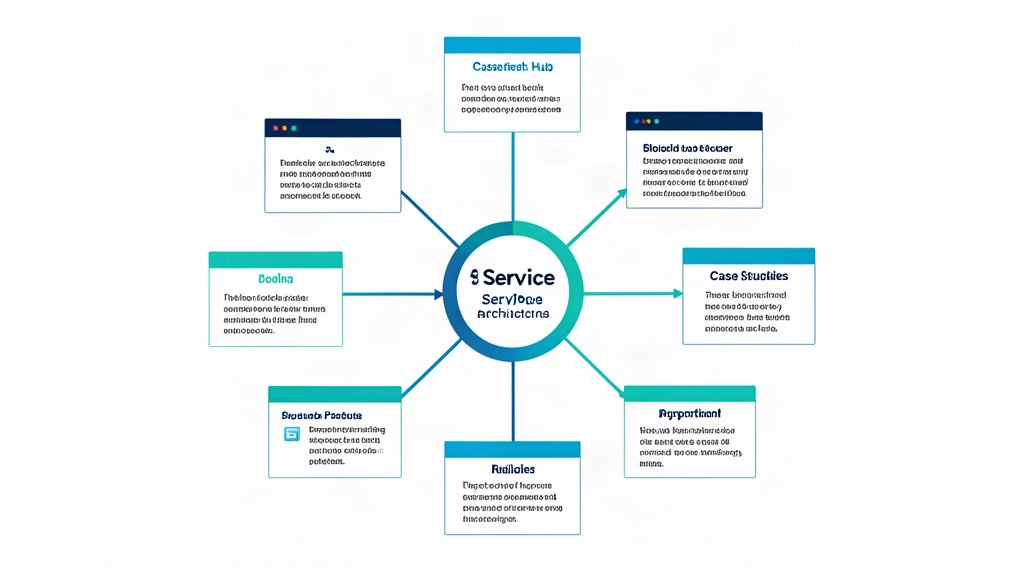
A content hub is not just a pile of blog posts.
It is a way to organize one topic so that the main service page, supporting articles, and related resources all point in the same direction.
For a service business, that usually means building around one clear offer at a time. For example: AI systems, automation systems, cloud infrastructure, technical audits, or websites.
Start With One Core Page
Every hub needs a primary page.
That page is usually the service page or the strongest commercial page for the topic. It should explain the offer, the outcome, and the next step. Everything else in the hub should support that page, not compete with it.
Google’s SEO Starter Guide recommends organizing similar pages in logical directories and using descriptive URLs. That advice fits hub design very well, because a hub works best when the site structure mirrors the topic structure.
Add Supporting Pieces, Not Duplicates
Once the core page exists, add content that answers the next questions a visitor will naturally have.
For example, if the service offer is AI systems, the supporting articles might cover:
- How to choose a retrieval layer.
- When LangGraph is useful.
- How to evaluate RAG quality.
- What trust and data boundaries should look like.
Those articles should not repeat the service page. They should make it easier to understand it.
That is the difference between a hub and duplicate content.
Use Internal Links Intentionally
Links are the glue of a content hub.
Google emphasizes that links help users and search engines discover pages, and that good link text gives both sides more context. That is especially important in a service business where the same topic may appear in multiple forms:
- a service page,
- a blog guide,
- a case-style explanation,
- a privacy or process page,
- a contact or inquiry page.
The goal is not to link everywhere. The goal is to make the relationships obvious.
If a post is about service page structure, it should link to the service page. If a post is about analytics or privacy, it should connect to the privacy policy and the relevant service page. If a post is about content strategy, it should point back to the most important commercial page for that topic.
Use A Clear Directory Logic
Topically grouped directories help users understand the site, and they help search engines understand how the content fits together.
That does not mean the site needs a perfect taxonomy. It means the structure should be understandable:
- related service pages in one place,
- supporting blog posts in one place,
- policy pages in one place,
- no random duplication of the same topic across multiple URL paths.
The cleaner the structure, the easier it is to expand the hub later.
Make The Hub Useful To Humans First
The best hubs are useful even when nobody is thinking about SEO.
If a visitor lands on one article, they should be able to move naturally to the service page, then to a related article, then to the contact page if they are ready.
That means each page in the hub should answer one job well:
- The service page explains the offer.
- The supporting articles explain the problem space.
- The contact page makes it easy to start.
When those jobs are clear, the hub works.
What To Avoid
Avoid three common mistakes:
- Publishing ten articles that all say the same thing in slightly different words.
- Writing posts that never link back to the service page.
- Creating a hub structure that looks good in a sitemap but is confusing to a visitor.
Those patterns waste content and make the site harder to understand.
Bottom Line
One service offer can become a very strong content hub if you keep the structure focused.
Start with one commercial page, add supporting material that answers real questions, and use internal links to show how the topic connects. That gives both users and search engines a clearer picture of what the site is about.
Reference: Google Search Central SEO Starter Guide.
Related areas
Related What I Do
These What I Do pages are matched from the subject matter of this article, creating a cleaner path from educational content to implementation work.
Continue reading
Related articles
Based on shared categories first, then the strongest overlap in tags.