LVM, Btrfs, and ZFS: Linux Storage Decisions in 2026
Choosing a storage stack is less exciting than choosing a CPU, but it is harder to undo. The choice affects how you resize a server, recover from a failed disk, create snapshots, replicate data, and diagnose silent corruption. LVM, Btrfs, and ZFS are often compared as if they were interchangeable filesystems. They are not: they solve different layers of the storage problem.
This guide focuses on practical decisions for Linux workstations, home servers, NAS systems, and small production environments. The short version is simple: use ext4 or XFS on LVM when you want the boring, well-supported default; choose Btrfs for integrated Linux snapshots and checksums; choose OpenZFS when data integrity, mature pooling, and replication justify an additional operational layer.
The mental model: three different storage stacks
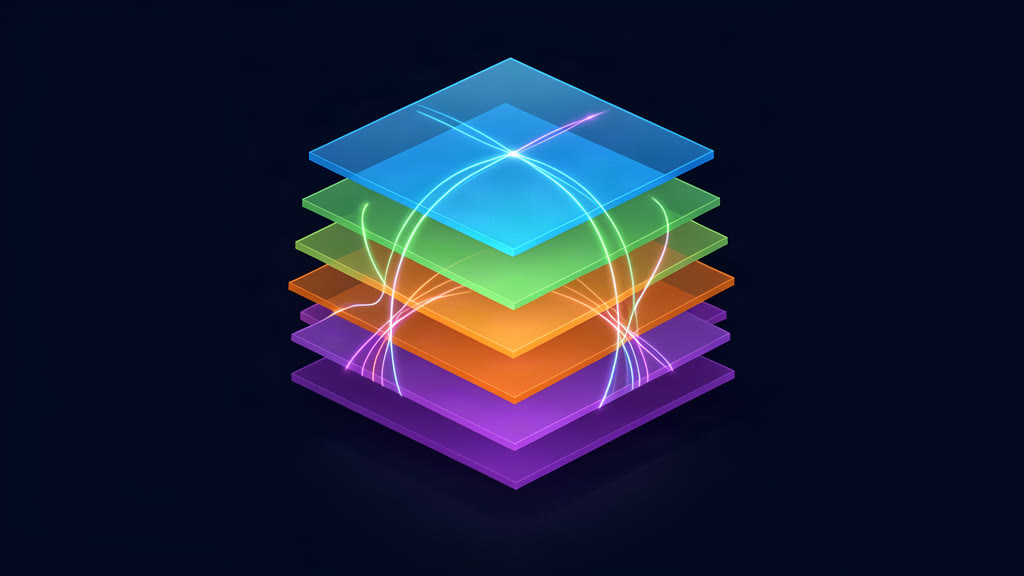
LVM2 is a block-layer volume manager. Physical volumes become a volume group, and logical volumes are carved from that pool. A filesystem such as ext4 or XFS goes on top. LVM provides flexible allocation, online growth, thin provisioning, and block-level snapshots, but it is not itself a checksumming filesystem.
Btrfs is a copy-on-write filesystem in the Linux kernel. It combines filesystem and volume-management features: subvolumes, snapshots, checksums, compression, scrub, multi-device profiles, and send/receive replication. It is part of the normal Linux kernel and userspace tooling.
OpenZFS combines filesystem, volume manager, and RAID in one stack. On Linux it is an out-of-tree kernel module, so distribution packaging and kernel compatibility are part of the operating cost. In return, it provides datasets, checksums, scrubs, self-healing with redundancy, snapshots, and a mature replication model.
Snapshots: rollback is not backup
LVM snapshots are block-level copy-on-write views. Thin snapshots are usually the better option for VM and container hosts because they share blocks efficiently:
lvcreate --type thin-pool -n pool0 -L 100G vg0
lvcreate --type thin -n thin0 -V 200G --thinpool pool0 vg0
lvcreate -s -n thin0-snap vg0/thin0
lvs -o data_percent,metadata_percent vg0/pool0
The final command is operationally important. A thin pool must be monitored and extended before data or metadata reaches 100%; a full pool can become damaged and difficult to repair. LVM snapshots are also block views: recovering one file normally means mounting the snapshot or using a filesystem-aware tool.
Btrfs snapshots operate on subvolumes. A read-only snapshot is a useful source for a reproducible incremental send:
btrfs subvolume snapshot -r /mnt/@data /mnt/.snaps/daily-2026-08-11
btrfs send /mnt/.snaps/daily-2026-08-11 | ssh backup-host btrfs receive /backup
Tools such as Snapper build system rollback around this model. Snapshot layout matters, however: a snapshot of one subvolume does not automatically include unrelated subvolumes, and quota accounting or large snapshot collections need monitoring.
ZFS snapshots belong to datasets and can be recursive. They are fast to create and can be rolled back or sent to another pool:
zfs snapshot tank/data@2026-08-11
zfs list -t snapshot
zfs send tank/data@2026-08-11 | ssh backup-host zfs receive backup/tank/data
Treat zfs rollback -r and zfs receive -F as destructive operations: both can remove newer snapshots or data on the target. For all three technologies, a snapshot on the same failed disk is not a backup. Keep an independent copy, preferably on another system or site, and periodically test a restore.
RAID, checksums, and scrubbing
LVM RAID uses device-mapper and the kernel MD machinery to provide layouts such as mirrors and parity RAID. That protects against specified device failures, but LVM itself does not checksum file data and has no native scrub operation. A mirror can faithfully preserve corrupted data. If end-to-end integrity is a requirement, combine LVM with an integrity layer or use a checksumming filesystem above it.
Btrfs checksums data and metadata by default. btrfs scrub reads the filesystem, verifies checksums, and can repair a bad copy when a redundant copy exists:
btrfs scrub start /mnt
btrfs scrub status /mnt
Btrfs RAID1, RAID10, RAID1C3, and RAID1C4 are the sensible redundant profiles to evaluate for current deployments. Do not use Btrfs RAID5 or RAID6 in production: the official status documentation still marks RAID56 unstable and the manual warns about the write hole and power-failure safety. A newer kernel does not turn that warning into a guarantee.
ZFS verifies checksums on reads and during zpool scrub. With a mirror or RAID-Z redundancy, it can use a good copy to repair a corrupted block:
zpool scrub tank
zpool status -v tank
That is a strong integrity story, but it is not magic. A single-disk ZFS pool can detect corruption without having another copy from which to repair it. RAID is not a backup, and a scrub cannot recover data that has no valid copy.
ZFS supports mirrors, RAID-Z1/Z2/Z3, and dRAID. RAID-Z expansion became available in OpenZFS 2.3, but it is still sensible to verify feature compatibility and plan vdev layout before creating a pool. Use stable /dev/disk/by-id/ paths rather than names such as /dev/sdb in administrative commands.
Resizing and growing over time
LVM is the most flexible choice when capacity will change in small increments. You can add physical volumes, extend logical volumes, and grow a cooperating filesystem online. The filesystem must be considered separately, especially when shrinking: ext4 must be resized before its LV is reduced, while XFS can grow but cannot shrink.
Btrfs can grow and shrink online, add or remove devices, and rebalance allocations. It handles mixed-size devices more naturally than many traditional RAID arrangements, but device changes and balances still need capacity and time. Take a snapshot and confirm a tested backup before a shrink or major profile conversion.
ZFS grows by adding vdevs or replacing devices with larger ones, then enabling the new space with zpool online -e or autoexpand. A ZFS pool cannot be shrunk. This makes vdev design and future capacity planning especially important. RAID-Z expansion reduces one historical limitation, but it does not make every future layout change cost-free.
Replication and disaster recovery
Btrfs and ZFS both provide native incremental replication. A practical Btrfs workflow uses a consistent series of read-only snapshots and sends only the change since a known parent:
btrfs send -p /mnt/.snaps/base /mnt/.snaps/daily-2026-08-11 \
  | ssh backup-host btrfs receive /backup
ZFS offers similar incremental sends, recursive replication, properties, compressed streams, and raw sends for encrypted datasets. Use a dry run while designing automation, and document the snapshot naming and retention policy rather than relying on a single command copied from a forum.
LVM has no equivalent native filesystem replication. Typical designs pair LVM snapshots with rsync, filesystem-aware backup software, or block replication such as DRBD. That can be entirely valid, but it is more of a composed solution than an integrated one.
A resilient plan separates availability from recovery: redundant disks keep a service running, snapshots provide convenient rollback, and an off-host backup handles deletion, ransomware, operator error, fire, and pool loss. Schedule scrubs, alert on errors, retain more than one backup generation, and perform restore exercises.
Root disks, memory, and distribution support
LVM with ext4 or XFS remains the least surprising server root layout. RHEL 10 documents XFS and LVM as defaults, and common Debian and Ubuntu server installations offer guided LVM. It has little special memory overhead and fits vendor-supported workflows.
Btrfs is a practical desktop root choice where the distribution integrates snapshots and rollback. Fedora Workstation and openSUSE are prominent examples, although Fedora Server and other Fedora editions have different defaults. Compression can reduce storage use at a CPU cost that depends on the workload.
ZFS can be used as a Linux root filesystem through documented installer or boot-environment approaches, and is native to FreeBSD. On Linux, booting adds DKMS or module packaging, initramfs, and kernel-upgrade considerations. OpenZFS 2.4.3 lists support through Linux 7.0, so check the release’s supported-kernel range before moving a DKMS-based system to a newer kernel.
OpenZFS documentation recommends 8 GB or more for best performance and says smaller systems are possible. ECC memory is recommended, not a hard requirement. The frequently repeated “1 GB of RAM per terabyte” figure is a rule of thumb, not a universal law; deduplication needs substantially more memory and should not be enabled casually. Btrfs and LVM have no comparable special RAM requirement.
Licensing and platform support can also decide the matter. LVM and Btrfs are GPLv2-based and integrated with Linux. OpenZFS uses the CDDL and its Linux module is outside the mainline kernel. ZFS pools can move between compatible OpenZFS platforms, but feature flags must be supported by the importing version. Red Hat does not ship ZFS as a supported filesystem; that matters in an enterprise support contract.
A practical decision framework
| Requirement | Starting point | Reason | Main caution |
|---|---|---|---|
| Single-disk server or workstation | ext4/XFS on LVM | Familiar tools and broad support | No filesystem-level checksums or snapshots |
| Desktop rollback and compression | Btrfs | Subvolume snapshots and integrated tooling | Plan subvolumes and keep current kernels |
| NAS with integrity and replication priority | ZFS mirror or RAID-Z2 | Checksums, scrubs, repair with redundancy, send/receive | More memory, pool planning, and module maintenance |
| Lightweight multi-disk Linux NAS | Btrfs RAID1 or RAID10 | In-kernel stack with checksums and send/receive | Never use RAID56 in production |
| VM/container overcommit | LVM thin or ZFS datasets | Thin provisioning, snapshots, and quotas | Monitor pool capacity and snapshot growth |
| Vendor-supported RHEL deployment | XFS on LVM | Matches documented platform defaults | Consider another stack only with a clear support plan |
If there is no concrete requirement for checksummed data, file-level snapshots, or native replication, choose the boring default. Storage complexity is justified by a recovery or operational need, not by a benchmark headline. Whichever stack you select, keep its tools and kernel current, monitor health, and make backups that can be restored without the original pool.
Authoritative references
- Btrfs status and feature stability and Btrfs manual
- Linux kernel Btrfs documentation
- Btrfs send and receive
- OpenZFS releases, FAQ, and checksums
- OpenZFS
zfs senddocumentation andzpooldocumentation - LVM thin provisioning and LVM RAID
- RHEL 10 filesystem documentation
- Fedora’s Btrfs rationale and openSUSE Snapper
For adjacent planning, see how to build a home server in 2026 without going insane and Alpine Linux production containers.
Related areas
Related What I Do
These What I Do pages are matched from the subject matter of this article, creating a cleaner path from educational content to implementation work.
Continue reading
Related articles
Based on shared categories first, then the strongest overlap in tags.