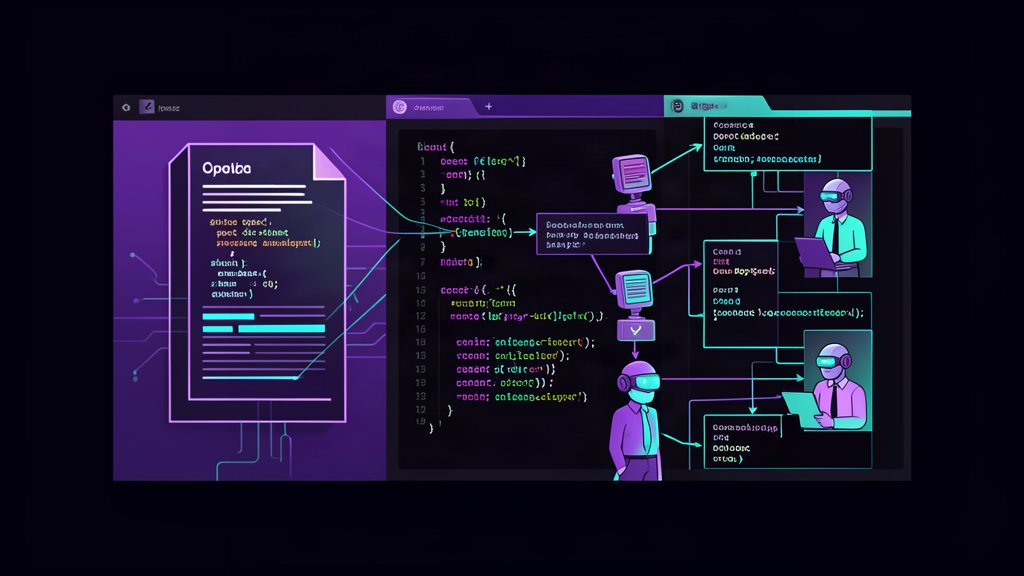
OpenSpec is easier to evaluate in a working project than in a feature list. Sean Kochel’s video follows an unscripted redesign of a real recipe-sharing app, from openspec init to a finished UI that is close to his Claude Design mockups. This is a viewing guide to what the screen recording demonstrates—not another command reference. For the complete installation and artifact reference, see the practical OpenSpec guide.
Five Highlights from the Demo
OpenSpec Is a Spec-Driven Tool, Not an Autonomous Pipeline
Kochel opens with a useful taxonomy for the current AI coding tool ecosystem. He groups tools into three categories: spec-driven (OpenSpec, SpecKit), SDLC enforcement (Obra, compound engineering), and autonomous pipeline (BMAD, getdone). OpenSpec sits firmly in the first category — the spec is the primary artifact, the human orchestrates, and the AI assists. This is a deliberate design choice. If you want to define a task and walk away, OpenSpec is not that tool. If you want to stay in control while the AI handles implementation detail, it is exactly that tool.
The Explore Phase Is OpenSpec’s Killer Differentiator
Unlike SpecKit, which assumes you know exactly what you want to build before you start, OpenSpec’s /opsx:explore command is an optional thinking phase. Kochel demonstrates this in the video: instead of jumping straight into specs, the AI reads the codebase, flags ambiguities in the plan, and surfaces assumptions that need resolution. The result is a proposal that catches alignment issues before any code is written. For developers tired of the “looks right but does the wrong thing” pattern with raw vibe coding, this is the step that saves the most time.
The Archive Workflow Keeps Documentation Alive
One of the most practical features Kochel highlights is the archive command. Completing a change triggers merging of the delta specs back into the canonical spec files. This means your documentation never goes stale — every completed change updates the source of truth. More importantly, if a new change conflicts with an existing spec, OpenSpec surfaces the conflict and forces reconciliation. For teams that struggle to maintain living documentation, this is a genuine workflow improvement, not a theoretical nicety.
The New/Continue Workflow Handles Iterative Planning
Real development is rarely linear. You start with a front-end change, then realise the back-end needs updating, then discover a data model issue. OpenSpec’s new and continue commands handle this by letting you slice a larger change into focused sub-changes, each with its own proposal, specs, and tasks. Kochel demonstrates slicing a back-end change into separate pieces (public profile reads, API wiring, data models) and working through each one sequentially — with the option to run the explore command mid-way if new questions come up. The fast-forward command then auto-runs through the remaining stages when the plan is solid enough.
Visual Verification via Chrome MCP Adds Real Fidelity
The video’s demo involves migrating a design system from Claude Design mockups into a real app. Kochel added a custom validation step that uses the Chrome browser extension MCP to visually verify each screen against the spec. This is not built into OpenSpec — it is an integration he wired in himself — but it demonstrates an important point: spec-driven development is most effective when you add domain-specific verification on top of the spec structure. For front-end work, visual checks catch the “looks close but spacing is off” issues that functional specs cannot describe.
Practical Implications
For developers already using AI coding assistants, the main takeaway is that OpenSpec solves a specific problem — alignment — without adding heavy ceremony. The explore phase is lightweight enough to use on any non-trivial change, and the archive workflow addresses the “docs rot” problem that every project with AI-generated code eventually faces.
The video also reinforces that OpenSpec works best on established projects with existing structure. Kochel’s recipe app was already a working codebase — he was refactoring the design system and adding features, not starting from scratch. The tool’s value is in keeping a growing project coherent, not in accelerating greenfield prototypes.
What the Video Misses
Kochel’s demo is thorough, but it glosses over a few limitations worth noting.
First, the full run took 2 hours of processing time (3-4 hours with human intervention for approval pauses). That is fast for a multi-screen design system migration, but it is not instant. Developers expecting near-real-time feedback will be disappointed.
Second, the video relies on Claude Code with a specific tool stack (Obra for git worktrees, Chrome MCP for visual checks). The results are partly a reflection of the tools around OpenSpec, not OpenSpec alone. A simpler setup without these integrations — just openspec init and the slash commands — will produce less polished output.
Third, and most importantly, the validation gap remains. OpenSpec validates spec structure but does not verify that the implemented code satisfies the spec. Kochel worked around this with Chrome MCP for visual checks, but there is no built-in mechanism for functional verification. This is the same limitation the standard post covers: OpenSpec is a communication tool, not a test framework.
Verdict
Sean Kochel’s video is one of the best real-world demonstrations of OpenSpec available. It shows the tool doing what it promises — keeping a complex, multi-step redesign aligned from exploration through to archive — while being honest about the effort involved. If you are already using an AI coding assistant on an established project and alignment is your pain point, this workflow is worth trying.
Watch the full video: OpenSpec Will Change How You Vibe Code Forever
Related areas
Related What I Do
These What I Do pages are matched from the subject matter of this article, creating a cleaner path from educational content to implementation work.
Continue reading
Related articles
Based on shared categories first, then the strongest overlap in tags.