Goran Štimac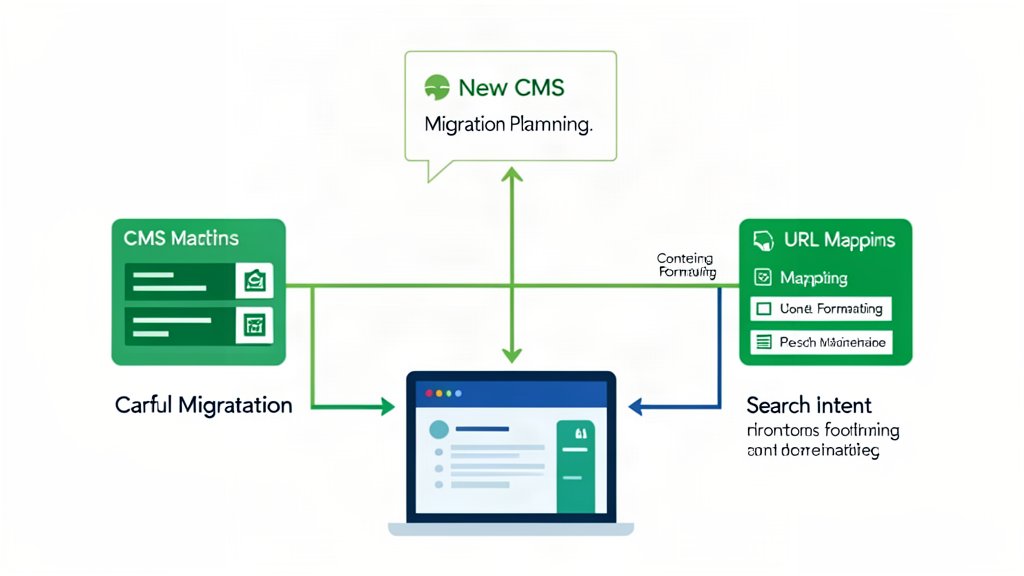
Most CMS migrations fail before the first page moves.
The visible problem usually shows up later as broken layouts, strange formatting, missing redirects, and pages that no longer match what users were trying to find. But the real mistake usually happens earlier, when the migration is treated like a copy job instead of a restructuring job.
Google’s current site move guidance is still the right mental model here: prepare the new site, prepare a URL mapping, turn on redirects, and monitor the move instead of assuming the new CMS will sort all of that out automatically.
That is why the safest migration plan starts with inventory, structure, and intent.
Start With The Pages That Actually Matter
Not every page deserves the same level of attention.
Before changing systems, identify:
- the pages that bring in search traffic,
- the pages that support service or product decisions,
- the pages that attract links,
- the pages that editors update often.
That gives the migration a priority order.
If everything is labeled “important,” nothing is. The goal is to protect the pages that already do useful work for the business.
Preserve Intent Before You Preserve Layout
Search intent is usually more important than pixel-perfect migration.
If a page currently ranks because it answers a specific question, the replacement page should keep answering that question clearly. The new CMS can change the template, the editor experience, and the publishing workflow, but the page still has to serve the same job unless there is a deliberate reason to merge, split, or retire it.
That means each migrated page should be classified before the move:
- keep as-is,
- rewrite and keep,
- merge into another page,
- retire with a redirect.
That is much safer than importing everything and hoping the structure can be cleaned up later.
Define URL Rules Early
URL decisions should not be left to whatever the new CMS happens to generate by default.
If the URL structure changes, the redirects need to be defined before launch. If the structure can stay stable, that usually removes a large part of the migration risk.
At minimum, decide:
- what the new URL pattern should be,
- which legacy URLs must redirect,
- which pages are being consolidated,
- which pages are intentionally removed.
The more explicit this mapping is, the less likely the launch is to create traffic loss and internal-link decay.
Google also recommends including images, videos, JavaScript, CSS, PDFs, and other embedded assets in that move plan. That matters because a migration can look successful in the page editor while still breaking the files and resources that search engines and users rely on.
Update Canonicals, Internal Links, And Sitemaps
URL mapping is not enough on its own.
Once the new structure exists, the new site should point to itself correctly. Google specifically calls out:
- self-referencing canonicals on the new URLs,
- updated internal links that point directly to the new URLs,
- updated hreflang annotations if the site is multilingual,
- a sitemap that contains the new URLs.
This is one of the reasons migrations break so easily. Teams remember the redirects, but forget the signals inside the site itself.
If the new CMS ships old canonicals, old internal references, or stale sitemap output, the migration is already sending mixed instructions.
Map Content Fields, Not Just Pages
A migration is not only about moving pages. It is also about moving fields.
That is where a lot of formatting damage happens. A legacy system may hide structure inside one rich-text blob, while the new CMS may need separate fields for headline, summary, hero image, CTA, body, FAQ, author, or taxonomy.
If that field mapping is vague, the editors inherit the mess.
The safer approach is to define a content model before import:
- what fields every article or page needs,
- what fields are optional,
- what values should become reusable taxonomy,
- what should stay plain text,
- what should be removed instead of migrated.
That turns migration into structured work instead of cleanup-by-hand.
Treat Formatting As A Separate Problem
Formatting problems are rarely random.
They usually come from old HTML, inline styles, copied content from office tools, inconsistent embeds, or markup patterns that the new editor does not support cleanly. If that is ignored until launch week, the team ends up fixing every page manually.
It is better to test a few representative pages first:
- a long article,
- a media-heavy article,
- a service or landing page,
- a page with older pasted formatting.
Those examples reveal where the content needs normalization before the full import begins.
Use Permanent Redirects And Keep Them Long Enough
Google recommends server-side permanent redirects such as 301 and 308 when possible.
That matters for both users and search engines. Redirect chains add latency, increase failure points, and make debugging harder. The cleanest move is usually one old URL directly to one final new URL.
Google also recommends keeping redirects in place for as long as possible, generally at least one year. That is longer than many teams expect, but it reflects how long it can take signals, links, and old references to settle across the web.
Decide What Should Not Move
Every migration is a chance to remove dead weight.
Old tag pages, duplicate articles, outdated landing pages, thin archive pages, and abandoned microsite content do not become more useful just because they were imported into a newer system. In many cases the better move is to retire them, redirect them, and simplify the new content base.
That usually improves editorial clarity as much as the new CMS itself.
Monitor The Move After Launch
Launch day is not the end of the migration.
Google recommends monitoring Search Console, sitemaps, crawl errors, and traffic on both the old and new URLs. Server logs matter too, because they show whether crawlers and real users are still hitting old paths, getting chained redirects, or landing on missing pages.
This is also where capacity planning matters. Google notes that the new site may be crawled more heavily during a move because the new URLs are being crawled directly while the old URLs are also redirecting into them.
A Practical Rule
If the migration plan does not include page intent, URL mapping, field mapping, and formatting tests, it is not really a migration plan yet.
It is only a content copy plan.
Bottom Line
The safest CMS migrations protect what already works and only change what needs to change.
Start with business-critical pages, keep search intent visible, define URL behavior early, map the content model properly, update the signals around the URLs, and test formatting before the full move. Then keep monitoring after launch instead of declaring success too early. That is what keeps a migration from becoming an expensive cleanup exercise.
References: Google Search Central: Move a site with URL changes and Google Search Central SEO Starter Guide.
Related areas
Related What I Do
These What I Do pages are matched from the subject matter of this article, creating a cleaner path from educational content to implementation work.
Continue reading
Related articles
Based on shared categories first, then the strongest overlap in tags.