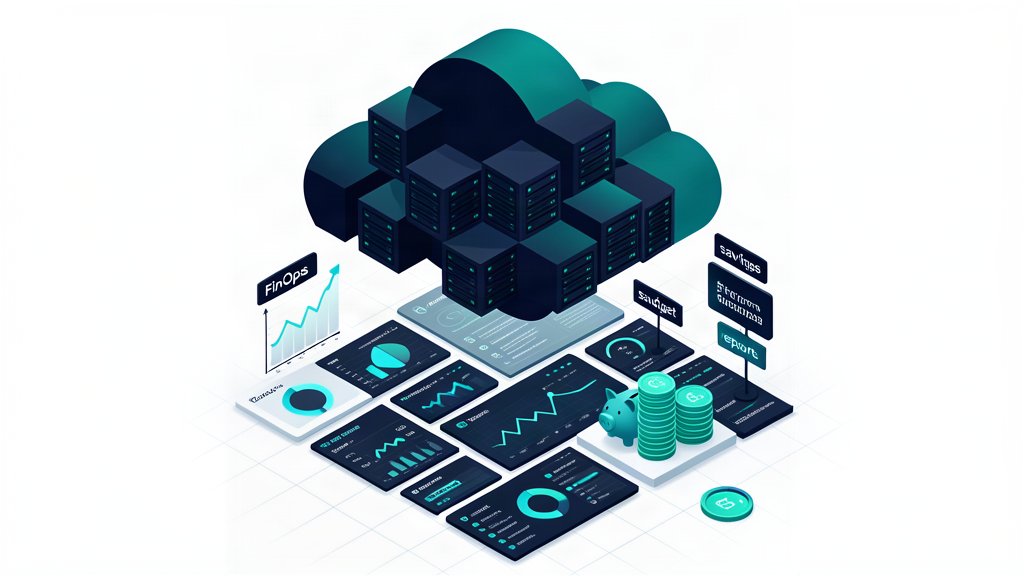
Cloud cost optimization is not a quarterly exercise where someone deletes idle disks and declares victory. It is a feedback loop: make spend attributable, connect resource use to a workload or business owner, remove waste, and verify that a lower bill did not create slower services or weaker reliability. For platform engineers and FinOps teams, the useful question is not “Which cloud is cheapest?” but “Which workload decision gives us the best value at its required reliability level?”
Start with allocation and an operating model
The FinOps Framework organizes the work around Inform, Optimize, and Operate phases. Start in Inform: export billing data, define owners, and make shared costs visible. A minimum allocation key should identify the service, environment, team, and lifecycle state. Enforce it in Terraform modules, CI policy, or admission controls rather than relying on engineers to repair tags after deployment.
For AWS, activate the relevant user-defined cost allocation tags before expecting them in cost reports; the AWS cost allocation tag documentation explains the activation step. Azure and Google Cloud provide their own tagging or labeling mechanisms, while Google Cloud also supports billing exports for analysis. Keep a small exception list for genuinely shared resources and distribute those costs with a documented rule. A dashboard with 95% of spend assigned is more useful than a perfect-looking dashboard whose allocation logic nobody trusts.
Measure before changing capacity
For each service, record a baseline for at least one representative period: daily cost, request volume, p95 latency, error rate, CPU and memory utilization, storage growth, and network transfer. Then rank opportunities by expected value and confidence. A simple estimate is:
monthly opportunity = current monthly cost × avoidable share
payback period = implementation cost / monthly opportunity
The estimate is a prioritization tool, not a promise. Recheck it after rollout and include operational work, migration charges, data-transfer charges, and the cost of reduced headroom. The AWS Well-Architected Cost Optimization Pillar, Azure cost-optimization guidance, and Google Cloud Cost pillar all emphasize visibility, value alignment, and continuous optimization rather than a single vendor-specific trick.
Use commitments only for the predictable baseline
Once allocation data shows a stable baseline, compare commitment products with the same workload forecast. AWS Savings Plans support one- or three-year hourly commitments and AWS documents savings of up to 72% for eligible compute; the result depends on the plan, usage, region, and workload mix. Azure documents reservations of up to 72% and Hybrid Benefit savings of up to 55% for eligible scenarios. Google Cloud offers resource-based and spend-based Committed Use Discounts, generally for one or three years. These are maximums from vendor documentation, not a guaranteed result for your account.
Do not commit the entire forecast. Commit only the portion that survived seasonality, migrations, and architecture changes. Keep a review record showing the baseline, owner, term, coverage target, and exit risk. A smaller commitment with headroom is often safer than a larger discount that becomes an unused liability when a service is retired or moved.
Kubernetes: rightsizing without breaking SLOs
Kubernetes requests influence scheduling and, in many environments, the capacity that must be purchased. Oversized requests strand capacity; undersized requests can cause throttling, evictions, or latency. Begin with historical metrics and compare requests and limits with actual usage by workload and container.
The Kubernetes Vertical Pod Autoscaler (VPA) has a recommender, updater, and admission controller. Use recommendation mode first and review its target, lower-bound, and upper-bound values. A controlled example is:
apiVersion: autoscaling.k8s.io/v1
kind: VerticalPodAutoscaler
metadata:
  name: api
spec:
  targetRef:
    apiVersion: apps/v1
    kind: Deployment
    name: api
  updatePolicy:
    updateMode: "Off" # collect recommendations before applying them
After observing a representative period, apply changes in a maintenance window or use an update mode appropriate to the workload. InPlace updates can avoid some Pod restarts where the cluster supports them, but they have resource and workload constraints. Do not enable automatic resizing for stateful or latency-sensitive services without a disruption budget, rollback plan, and SLO monitoring. New workloads also need enough history for useful recommendations; a short sample can produce misleading targets.
Use the Horizontal Pod Autoscaler (HPA) when replica count should follow demand. HPA can use CPU, memory, or custom metrics. Combining HPA for changing request volume with VPA for stable per-Pod resource shape can work, but avoid having both controllers fight over the same resource signal. Test scaling behavior under a load pattern that includes cold starts and queue backlogs, not only a steady average.
Storage and egress are part of the design
For object storage, lifecycle rules can transition old objects to colder classes or expire data. Amazon S3 Lifecycle supports both transition and expiration actions, but transition requests and retrieval behavior can create charges. Start with a non-production bucket or a narrowly scoped prefix, inspect object age and access patterns, and confirm recovery requirements before applying a policy. The equivalent Azure and Google Cloud controls should be evaluated with the same retention and retrieval questions.
Network transfer is another common blind spot. Keep chatty services and their data in the same region when that is compatible with availability requirements; avoid unnecessary cross-region replication, multi-cloud backhauls, and repeated downloads through a costly egress path. Measure bytes by service and destination rather than guessing from total bandwidth. A cheaper compute instance does not compensate for an architecture that repeatedly moves large datasets across regions.
A repeatable 30-day workflow
- Days 1–5 — Inform: establish billing exports, owners, tags or labels, budgets, and a weekly cost-and-reliability review.
- Days 6–12 — Find waste: identify idle resources, oversized Kubernetes requests, low-utilization databases, stale snapshots, storage growth, and egress hotspots.
- Days 13–20 — Optimize safely: test one change at a time, use VPA recommendations, add lifecycle rules to a bounded scope, and rightsize only with SLO dashboards open.
- Days 21–25 — Commit carefully: calculate the stable baseline and evaluate Savings Plans, reservations, or CUDs without committing migration risk.
- Days 26–30 — Operate: compare cost per request or tenant, document exceptions, alert on allocation gaps, and schedule the next review.
The durable outcome is not a one-off percentage. It is a system in which engineers can see the cost of a change, platform teams can enforce safe defaults, and finance can distinguish intentional investment from accidental waste. Optimize the baseline, preserve reliability headroom, and treat every discount or autoscaling policy as a hypothesis that production measurements must validate.
Related areas
Related What I Do
These What I Do pages are matched from the subject matter of this article, creating a cleaner path from educational content to implementation work.
Continue reading
Related articles
Based on shared categories first, then the strongest overlap in tags.