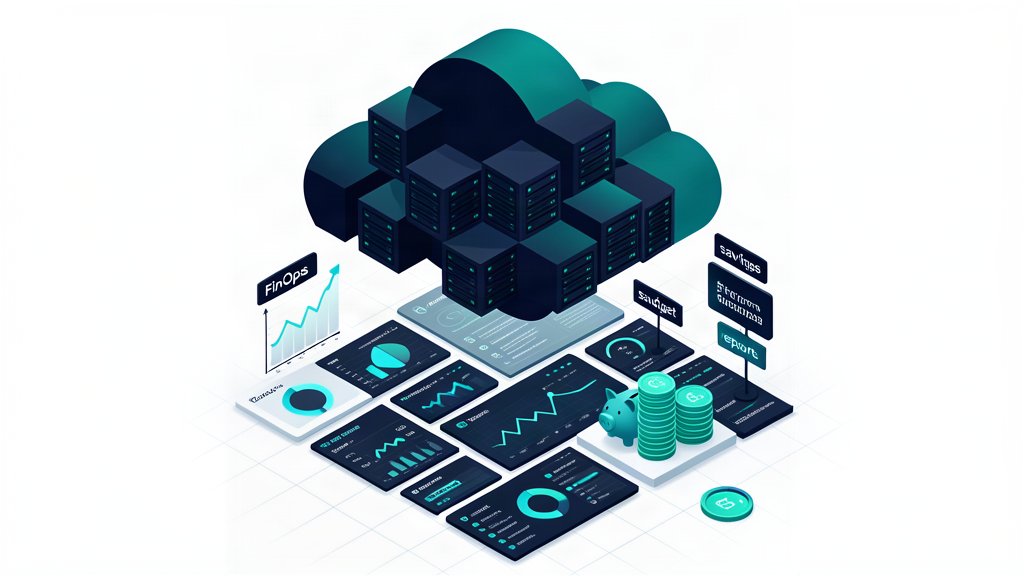
The first time a production AI agent’s bill arrives, most engineering leads react the same way: they check the decimal place twice. A single chatbot session handing off to a frontier model can burn through hundreds of thousands of tokens in a conversation that feels like five minutes of chat. The real shock is not the per-token price — it is the hidden multiplier of context-window inflation, re-encoding overhead, and prompt construction patterns that looked cheap on paper.
This post walks through the actual cost model for production LLM inference, the caching strategies that cut the bill by 40–70%, and a practical fallback architecture that routes cheap queries away from expensive models. By the end you will have a repeatable framework for estimating, monitoring, and controlling inference spend before it surprises your finance team.
The Real Cost Model: What Your Cloud Bill Doesn’t Show
The obvious line item is per-token pricing — input and output tokens at the model provider’s published rate. But the real cost of production inference comes from three compounding factors that the per-token rate hides.
Context-window inflation. Every turn in a conversational agent appends the new user message, any tool call results, and the assistant’s response to the history. A 500-token initial query becomes a 5,000-token context by turn ten and a 15,000-token context by turn thirty. You pay for every token in the window on every turn, not just the new ones. A user session that feels conversational can easily generate 50,000–100,000 tokens in total input cost alone.
Re-encoding overhead. Most providers re-encode the entire context on every request unless you explicitly manage KV-cache state. That means the provider is re-processing every token of conversation history each time the user sends a message — not caching the already-computed attention from previous turns. This multiplies cost linearly with session length.
System prompt bloat. A system prompt that started at 300 tokens during prototyping grows as you add guardrails, output format instructions, few-shot examples, and tool definitions. Every hundred tokens of system prompt is paid for on every single inference call across every user session.
To model this correctly, use the formula:
Monthly Cost = Σ (PromptTokens × InputPrice + CompletionTokens × OutputPrice)Here, PromptTokens includes the full context window on every call, not just the delta. Build a small spreadsheet with your expected daily sessions, average turns per session, average completion size, and model pricing — the number will usually be 3–5× higher than a naive estimate.
Prompt Caching: The First Lever to Pull
Prompt caching — also called KV-cache reuse — is the single highest-impact cost control for production deployments, as a provider caches the KV computation for repeated prompt prefixes, subsequent requests that share that prefix pay only for the new suffix tokens.
Contexts where caching works well. Any application with a stable system prompt and tool definitions benefits immediately. Multi-turn conversations also benefit after the first few turns because the conversation history prefix is shared between successive requests from the same session. Semantic caching for factual queries — “what does our support policy say about refunds” — can serve identical responses from cache without any model call.
Contexts where caching does not help. Highly dynamic prompts that change per-request (personalised agent instructions, queries that include real-time data), prompts with randomisation or temperature sampling that need fresh output each time, and applications where every response must be unique (content generation, creative writing). For these, invest in model-tier fallback chains instead.
Sizing your cache. For a conversational agent with a stable 800-token system prompt and 10-turn average session, caching the system prompt across all users eliminates roughly 40% of your input token spend. Adding conversation-history prefix caching between consecutive turns in the same session pushes that to 60–70%. Measure your actual patterns by instrumenting cache-hit ratios on your proxy layer before deciding on cache capacity.
Model Tiering and Fallback Chains: Pay Less for Easy Questions
Not every inference needs a frontier model. A large fraction of production queries — factual lookups, structured classification, simple rewrites — can be handled perfectly well by a small, fast model at a tenth of the cost. A fallback chain routes each request through progressively larger models, escalating only when the cheaper model cannot produce a confident-enough response.
A three-tier architecture looks like this:
Tier 1: Fast-small model ($0.15/M input tokens). Handles classification, extraction, simple Q&A, structured output parsing, and guardrail checks. 60–70% of requests should resolve here.
Tier 2: Medium model ($1.50/M input tokens). Handles multi-step reasoning, summarisation, tool-call planning, and ambiguous queries that the small model flagged as low-confidence. 20–25% of requests.
Tier 3: Frontier model ($10–15/M input tokens). Handles complex agentic decisions, novel reasoning tasks, code generation, and any request that survived Tier 2 with below-threshold confidence. 5–15% of requests.
The confidence signal can come from the model’s own output logprobs, a lightweight classifier that scores response quality, or a rule-based heuristic (query length, required tool complexity, detected ambiguity). The key is that Tier 1 handles the bulk cheaply, and the expensive model sees only the hardest fraction.
Batch vs Real-Time Inference
For any workload that does not need a synchronous response, batching cuts cost by an order of magnitude. Embedding generation for a RAG pipeline is the classic example: sending 10,000 documents in one batch versus 10,000 individual requests eliminates per-request overhead and lets the provider optimise GPU utilisation.
Candidate workloads for batching:
- Embedding generation and re-indexing
- Bulk content classification and tagging
- Scheduled summarisation of support tickets or logs
- Overnight batch processing of user-uploaded content for moderation
Real-time inference, by contrast, is needed for chat, interactive coding assistants, and any user-facing feature where sub-second latency matters. The cost difference is so stark that batch processing should be your default — you opt into real-time only when latency is a product requirement.
What to Monitor Before the Bill Arrives
Reactive budgeting fails because by the time the monthly invoice lands, the spend pattern is weeks old. Track these per-run metrics on your proxy or gateway layer:
- Token spend per user session — a single outlier session can cost more than a hundred normal ones
- Cache-hit ratio — dropping below 40% without explanation means your prompt structure changed
- Escalation rate — what fraction of requests reach Tier 3. A trend above 20–30% means your cheaper models are not coping
- Cost-per-action — divide total inference cost by meaningful user actions (completed queries, generated responses). A rising trend signals context-window bloat or prompt creep
- Provider error classes — rate limits, timeouts, and content-filter rejections all have cost implications (retries burn tokens)
Set soft alerts on these; when escalation rate crosses 25% for more than an hour, investigate whether your cheap model’s performance degraded or a prompt change shifted request distribution.
Conclusion
Production LLM costs are manageable — but only when you model the full context-window multiplier, invest in caching before you optimise prompts, and route cheap queries away from expensive models. A three-tier fallback chain with a 60%+ cache-hit ratio typically cuts the monthly bill by half compared to a single-model architecture.
Start with the cost model spreadsheet. Plot your expected traffic, tiered model pricing, and estimated cache-hit ratio. The model will tell you which lever — caching, fallback routing, or batch conversion — gives the biggest return for your specific workload. Pull that lever first.
For a deeper look at how observability plays into cost tracking, see our guide on Observability for AI Agents: What to Log, Trace, and Alert On.
Related areas
Related What I Do
These What I Do pages are matched from the subject matter of this article, creating a cleaner path from educational content to implementation work.
Continue reading
Related articles
Based on shared categories first, then the strongest overlap in tags.