Goran Štimac
A LangChain prototype can be useful in a day. A production system takes more discipline.
That is not a criticism of the framework. It is simply the difference between a demo and a system that other people depend on. The good news is that the LangChain ecosystem already points at the right production concerns: tracing, evaluation, deployment, state, and integration boundaries.
Start With One Clear Workflow
Do not try to build a generic AI platform on day one.
Pick one user journey that matters:
- Internal support assistant.
- Document search helper.
- Lead qualification copilot.
- Operations assistant that triggers tools.
If the first workflow works well, you can reuse the patterns elsewhere. If it does not, you will at least know which part is failing.
The current LangChain and LangGraph docs both support this mindset. LangChain gives you the building blocks for models, tools, and retrieval. LangGraph adds durable execution, memory, branching, and human-in-the-loop control when the workflow becomes stateful.
That split is useful because prototypes often fail when they try to become production systems without an orchestration plan.
Trace Everything Early
LangSmith is important because agent systems are otherwise hard to debug.
When a model makes a mistake, the issue is often not one thing. It may be the prompt, the tool choice, the retrieved context, or the order of operations. Tracing gives you a record of what happened so you can diagnose the real cause instead of guessing.
Set up tracing early, not after the first serious bug.
Tracing is also what makes the conversation with stakeholders easier. Instead of saying the assistant “felt off,” you can show the run, the tool calls, the retrieved context, and the output path.
Evaluate With Real Examples
Production AI should be judged against real tasks, not just intuition.
Build a small test set from the work your team actually does. Then check whether the outputs are acceptable, whether the assistant calls the right tools, and whether it fails safely when the input is unclear.
The goal is not perfection. The goal is repeatable behavior that is good enough for the business process.
Narrow The Blast Radius
The fastest way to make a prototype fragile is to give it too many tools too early.
Keep the first version focused on one use case, one set of integrations, and one support path. That makes it easier to understand whether a failure comes from prompting, retrieval, the model, or the orchestration layer.
Keep The Integration Surface Narrow
Many AI systems fail because they are allowed to touch too much too early.
For production, be explicit about which APIs, tools, and data sources the assistant may use. Each integration should have an owner, a purpose, and a failure mode. If the assistant does not need a tool, do not expose it.
That advice applies whether the app is customer-facing or internal.
The more production-oriented the system gets, the more important this discipline becomes. Narrow integrations are easier to test, easier to secure, and easier to explain.
Decide When To Move To LangGraph
LangChain is a good starting point, but production statefulness is a separate issue.
If the workflow needs long-running state, branching logic, retries, or human approvals, it may be time to move the orchestration into LangGraph. That is often the cleanest way to keep the application layer and the workflow layer from collapsing into one unmaintainable block.
A Practical Production Pattern
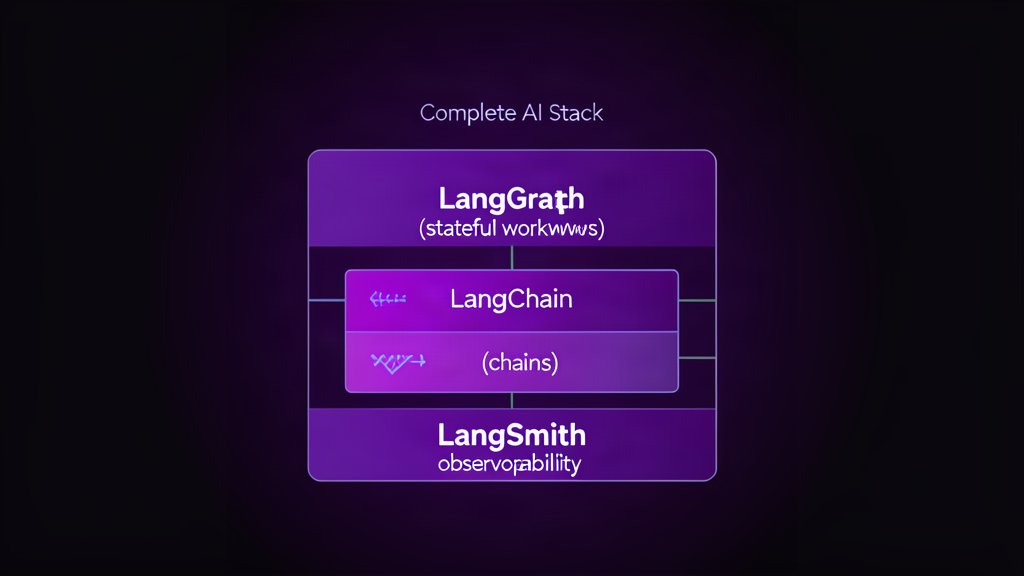
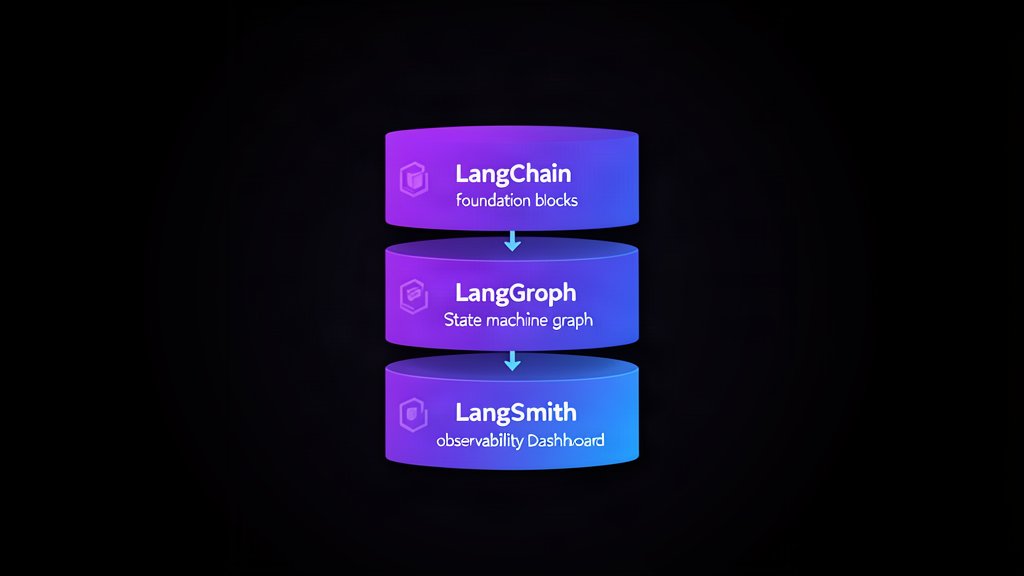
- LangChain for model and tool composition.
- LangSmith for tracing and evaluation.
- LangGraph for durable, stateful orchestration.
That is the cleanest way to move from a demo to something the team can support.
A Simple Production Checklist
Before shipping, confirm that you have:
- One clear use case.
- Tracing in place.
- A real evaluation set.
- Narrow tool permissions.
- Error handling and fallbacks.
- A plan for stateful orchestration if needed.
If those pieces are missing, the system is probably still a prototype.
Why This Matters For Consulting
This is where strategy becomes implementation.
A business does not just need an agent demo. It needs a system that can survive real usage, real mistakes, and real operational change. That means the production conversation is about boundaries, observability, and maintenance, not just model quality.
Bottom Line
LangChain is a strong starting point, but production success depends on the layers around it.
If you trace early, evaluate against real tasks, keep integrations narrow, and move to LangGraph when the workflow becomes stateful, you have a credible path from prototype to production.
References: LangChain overview, LangGraph overview, and LangSmith docs.
Related areas
Related What I Do
These What I Do pages are matched from the subject matter of this article, creating a cleaner path from educational content to implementation work.
Continue reading
Related articles
Based on shared categories first, then the strongest overlap in tags.