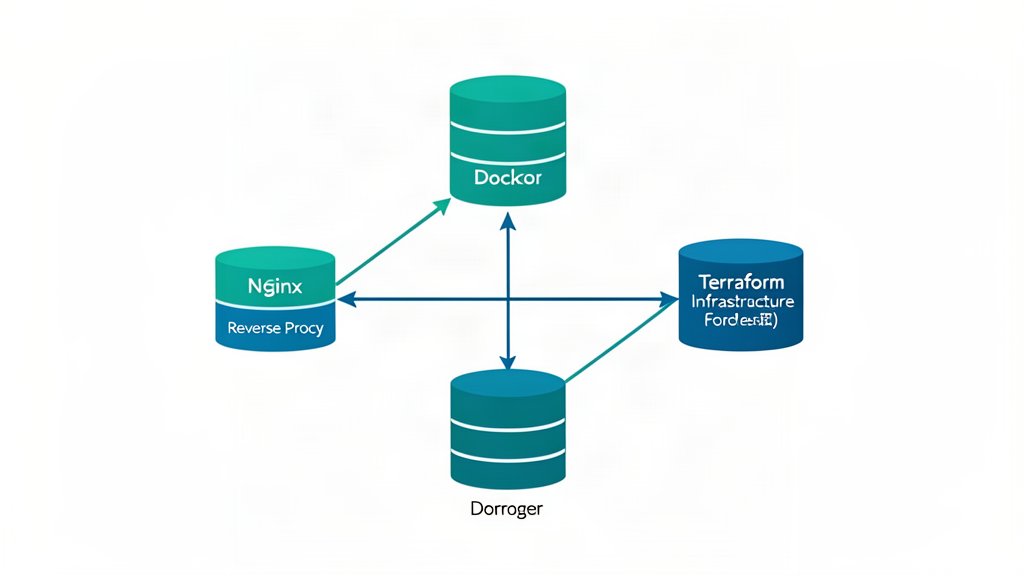
A small production stack does not need to imitate a hyperscale platform. It does need clear boundaries. A useful baseline is an Nginx reverse proxy on the public interface, application and worker services running as containers on a private network, and Terraform describing the host, DNS, firewall, and other external resources. Each tool has a narrow job: Nginx handles incoming HTTP, Docker packages and connects workloads, and Terraform records how the infrastructure should exist.
That separation makes the system easier to reason about. It also prevents a common mistake: treating Compose as a cloud provisioning tool or Terraform as an application deployment system. They can work together, but they should not silently own the same resource.
A small-stack topology
A single VM can host Nginx, an application container, a background worker, and perhaps a database for a modest workload. Expose only ports 80 and 443 from the host. Publish the application on loopback or keep it entirely on Docker’s private network, so the public request path is always inspected by Nginx.
Internet -> Nginx (80/443) -> web:8000
                            -> api:8080
                            -> worker (no public port)
                                      |
                                  database
Compose creates a default bridge network and gives services DNS names matching their service keys. The application should connect to database:5432, not a container IP; IP addresses can change when a service is recreated. Define a second, explicitly named network when you need to separate a public-facing proxy from internal services, and do not publish a database port unless an operational requirement justifies it.
Make the Nginx boundary explicit
The following server block is intentionally conservative. The upstream name can resolve to a Compose service when Nginx runs in the same Docker network, or it can be a loopback listener when Nginx runs on the host.
upstream app {
    server web:8000;
    keepalive 16;
}

server {
    listen 443 ssl http2;
    server_name example.com;

    ssl_certificate     /etc/nginx/tls/fullchain.pem;
    ssl_certificate_key /etc/nginx/tls/privkey.pem;

    location / {
        proxy_pass http://app;
        proxy_http_version 1.1;
        proxy_set_header Host $host;
        proxy_set_header X-Real-IP $remote_addr;
        proxy_set_header X-Forwarded-For $proxy_add_x_forwarded_for;
        proxy_set_header X-Forwarded-Proto $scheme;
        proxy_set_header Connection "";
        proxy_connect_timeout 5s;
        proxy_read_timeout 60s;
    }
}
$proxy_add_x_forwarded_for preserves the address chain Nginx has observed; do not trust arbitrary forwarding headers from an untrusted public client. Confirm that the application understands its proxy-aware scheme and host settings before enabling secure-cookie or redirect logic. The distinction between proxy_pass http://app; and proxy_pass http://app/; also matters: adding a URI can replace the location prefix and change the path received upstream. Test a representative API route after every proxy change.
Run nginx -t before a reload and make the reload observable. A configuration that is syntactically valid can still route to the wrong service, leak a health endpoint, or return a redirect loop. Keep access and error logs available long enough to correlate an external 502 with container health and application logs.
Docker and Compose: package the runtime, not the policy
Use a pinned image tag or digest, a multi-stage build, a non-root runtime user, and a health check that tests a meaningful dependency boundary. restart: unless-stopped can recover from a process exit, but it is not monitoring and it cannot repair a bad migration or an exhausted disk. Persist database data in a named volume and back it up independently of the container lifecycle.
A small Compose fragment might look like this:
services:
  web:
    image: registry.example.com/shop-web:2026.08.25
    expose:
      - "8000"
    networks: [edge, internal]
    secrets:
      - database_password
    healthcheck:
      test: ["CMD", "curl", "-f", "http://localhost:8000/health"]
      interval: 30s
      timeout: 3s
      retries: 3

  database:
    image: postgres:16
    networks: [internal]
    volumes:
      - postgres_data:/var/lib/postgresql/data
    secrets:
      - database_password

networks:
  edge:
  internal:
    internal: true

volumes:
  postgres_data:

secrets:
  database_password:
    file: ./secrets/database_password.txt
The example shows intent rather than a complete production policy. Docker Compose grants a secret only to services that explicitly request it and mounts it under /run/secrets/; that is safer than placing credentials in an image or casually interpolating them into logs. Protect the source file, exclude it from Git, rotate it, and consider a managed secret store when more than one host or environment needs the value. Never treat base64 encoding as encryption.
Terraform resources and state
Terraform is a good fit for resources outside the application lifecycle: a VM, network rules, DNS records, object-storage buckets, and monitoring primitives. Keep those declarations in a root module with small reusable modules only where repetition is real. Use variables for environment-specific inputs and outputs for values that a deployment system must consume. Review the plan before applying it; an unreviewed destroy or replacement is an operational event, not a routine command.
terraform {
  required_version = ">= 1.6.0"

  backend "s3" {
    bucket         = "example-terraform-state"
    key            = "small-stack/prod.tfstate"
    region         = "eu-central-1"
    dynamodb_table = "example-terraform-locks"
    encrypt        = true
  }
}

resource "example_firewall_rule" "https" {
  name  = "allow-https"
  port  = 443
  cidrs = ["0.0.0.0/0"]
}

output "public_address" {
  value = example_server.app.public_address
}
The provider-specific resource is illustrative, but the state rule is not: Terraform uses state to map declared resource instances to real objects. A local terraform.tfstate is easy to start with and easy to lose or expose. Use a remote backend with access control, encryption, and locking for shared or important environments, and keep state out of source control because it can contain sensitive values. Do not edit the JSON by hand; use Terraform’s state commands when a binding must be inspected or moved.
Deployment choices and failure modes
A single VM and Compose are simple to operate, inexpensive, and easy to inspect over SSH. They also create a failure domain: a kernel update, full disk, or host outage takes down every service. Moving the database to a managed service can improve backup and failover options, but adds network dependency and cost. Kubernetes may bring scheduling and reconciliation benefits at larger scale, yet it introduces a control plane and operational surface that a two-container service may not need.
Whichever boundary you choose, rehearse the failures that matter: an expired certificate, a failed image pull, a database volume with no free space, a container that reports healthy while its dependency is broken, a DNS record pointing at the old host, and a Terraform state lock left behind by an interrupted run. Keep rollback images, tested backups, configuration validation, and a short recovery runbook. The stack is small only when its failure behavior is understood.
Sources: Nginx proxy module documentation, Docker Compose networking, Docker Compose secrets, Terraform state, and OWASP Secrets Management Cheat Sheet.
Related areas
Related What I Do
These What I Do pages are matched from the subject matter of this article, creating a cleaner path from educational content to implementation work.
Continue reading
Related articles
Based on shared categories first, then the strongest overlap in tags.