Every week, I see another architecture review where someone proposes an AI agent for a task that a 10-line function handles faster, cheaper, and more reliably. The hype around agents in 2026 makes this worse — if your only tool is a language model, every problem starts to look like a prompt.
This article is the counterpoint. It gives you a repeatable framework for deciding when not to use an AI agent, backed by concrete scenarios from production systems.
The Three-Gate Decision Tree
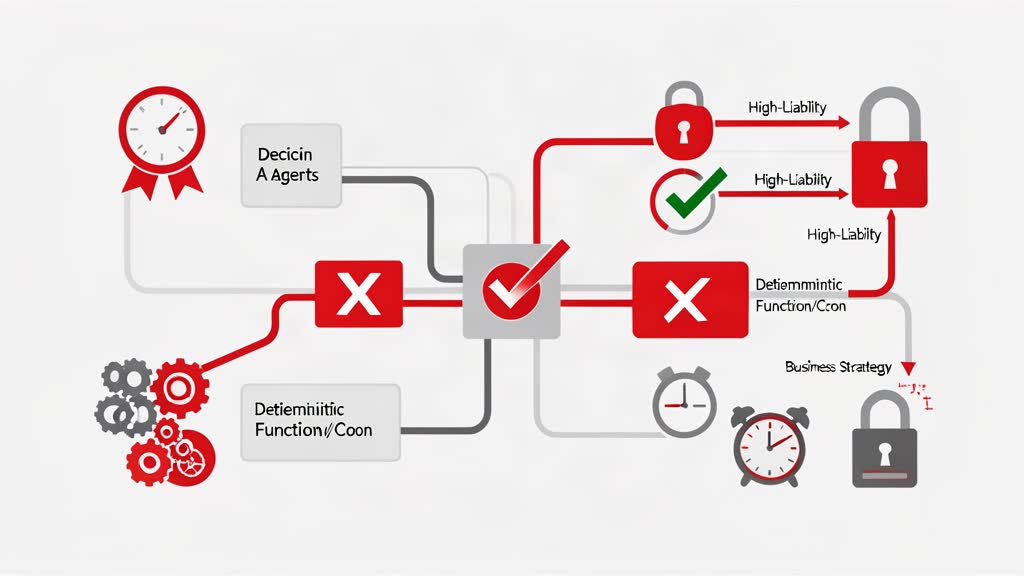
Run an LLM through three gates before wiring it into any workflow, run it through three gates:
Gate 1 — Does this task need emergent reasoning? If the decision logic is deterministic (if-then-else, lookup tables, sorting, filtering, validation against a schema), you do not need an LLM. A function, a cron job, or a simple webhook handler does it faster and with zero hallucination risk.
Gate 2 — Can it tolerate errors? If a wrong answer causes financial loss, compliance failure, safety risk, or irreversible data corruption, an AI agent is the wrong tool — unless you have a human-in-the-loop gate that catches errors before they cause damage.
Gate 3 — Is a deterministic solution cheaper? Compare the per-operation cost of your agent call (tokens × model tier, plus latency cost to the user) against a deterministic implementation. For high-volume operations, the deterministic path wins by orders of magnitude.
If the answer is no-yes-yes, do not build an agent. Build a function.
Zero-Error-Tolerance Workflows
Some workflows cannot tolerate a single wrong token:
- Financial calculations: invoice line-item totals, VAT calculations, currency conversions, payroll deductions. An LLM may get the math right 99.9% of the time — but 0.1% of invoices with wrong totals is a compliance and trust failure.
- Configuration validation: YAML schema checks, Terraform plan validation, firewall rule verification. If the model interprets “deny all inbound except port 443” as a security group that also opens port 22, you have a breach waiting to happen.
- Regulatory filings: compliance reports, GDPR data-subject requests, tax filings. The output must be auditable and reproducible — an LLM’s probabilistic output, even with temperature set to 0, is neither.
In all these cases, the deterministic alternative (validated arithmetic, schema checkers, template-based report generation) is not just safer — it is simpler to test, debug, and audit.
High-Liability Decisions
The EU AI Act and GDPR Article 22 place specific restrictions on solely automated decision-making that produces legal effects. If your AI agent is making decisions about:
- Employment: screening candidates, ranking applicants, flagging performance issues
- Creditworthiness: approving or denying loans, setting interest rates
- Insurance: determining premiums, denying claims
- Healthcare triage: prioritising patients, suggesting diagnoses
— you enter a regulatory framework that requires explainability, human oversight, and the right to contest the decision. An LLM’s chain-of-thought reasoning, even when logged, does not constitute an auditable decision trail in the way deterministic rules or decision trees do.
The practical advice: keep a human in the loop for any decision that has legal or financial consequences for another person. Use agents only to inform the decision, not to make it.
Tasks Cheaper to Do Deterministically
The most common mistake I see is reaching for an AI agent for problems that are cheaper to solve with basic programming:
| Task | AI Agent Cost | Deterministic Cost |
|---|---|---|
| Sorting 10,000 records by date | ~$0.30 in tokens + 3s latency | ~0.001¢ CPU + 50ms |
| Deduplicating a CSV | ~$0.15 in tokens + 2s latency | Python set() in milliseconds |
| Routing an email to a department | ~$0.05 per email (GPT-4o-mini) | Regex + keyword rules: zero marginal cost |
| Translating a status code | ~$0.02 per lookup | dict or match statement: instant |
The hidden cost is not just money — it is abstraction complexity. Every agent call in your system is a non-deterministic dependency. You cannot unit-test it the way you test a function. You cannot reproduce a failure without replaying the exact model state. You cannot guarantee the same input produces the same output.
For high-volume operations (thousands or millions of calls per day), these costs compound. A deterministic cache or rule-based path pays for itself in the first week.
The Model Degrades the User Experience
AI agents add latency. Even the fastest models add 500 ms to 2 seconds per call. For some interactions, that latency directly harms the user experience:
- Keystroke autocomplete: users expect suggestions within 100 ms. A model round-trip makes the UI feel sluggish.
- Real-time dashboards: monitoring panels that update every few seconds cannot wait for an inference call on each refresh.
- Search-as-you-type: incremental search results must appear within the user’s typing cadence.
- High-frequency alerts: processing thousands of events per second for anomaly detection — a streaming rule engine handles this; an LLM-based agent does not.
In each case, the user does not benefit from the agent’s reasoning. They benefit from speed. Deterministic or heuristic approaches (index lookups, threshold-based alerts, precomputed caches) deliver a better experience for a fraction of the cost.
Auditability Is Non-Negotiable
Some systems must produce an exact, repeatable record of every decision:
- Financial audit trails: every transaction must be traceable to a specific code path and input state.
- Compliance reporting: SOC2, ISO 27001, and HIPAA audits require evidence that controls operated correctly over a period.
- Incident post-mortems: when something broke, you need to know exactly what logic ran.
Deterministic code gives you this for free: the input goes in, a specific function runs, the output is reproducible. An AI agent’s output depends on the model version, the prompt template, the temperature setting, and the model’s internal state — none of which is fully reproducible after the fact.
If your system needs to prove what it did and why, an agent introduces a black box that your auditor will not accept.
The Hypocrisy Test
For each proposed integration, run my hypocrisy test before your next architecture review:
Can you explain why an agent is the right tool without using AI buzzwords — in terms of traditional engineering trade-offs?
If the answer is “the model can figure it out” or “it’s more flexible that way,” you probably do not need an agent. If it is “the decision space is too large to enumerate” or “we need natural-language understanding of unstructured input,” you might have a genuine agent use case.
The best agent architectures I have seen in production use models sparingly — as thin reasoning layers on top of deterministic foundations, not as the entire stack.
The Decision Framework in Practice
Here is the condensed version to print and keep at your desk:
| Condition | Do | Do NOT |
|---|---|---|
| Logic is deterministic (if-else, rules, lookup) | Write a function | Reach for an LLM |
| Error tolerance is zero | Add human-in-loop gate or stay deterministic | Let the model decide alone |
| Volume is high (thousands+ calls/day) | Cache, cache, cache — or use a rule engine | Route every call through a model |
| Latency budget is under 500 ms | Use a deterministic or heuristic path | Add an API round trip |
| Audit trail must be reproducible | Use deterministic code with full logging | Trust model output for the record |
| User needs the model’s reasoning | Use an agent (this is a valid case) | Replace a working rule with a model |
Default rule for 2026: If you cannot explain, in two sentences of plain engineering language, why this task requires an LLM, assume it does not. Start with the deterministic implementation, measure the gap, and only add an agent when the gap hurts.
For a broader look at when agents do make sense, see our post on AI Agents Explained for DevOps & Platform Engineers. To understand the architecture trade-offs once you do use agents, read Building Production AI Agents with MCP, Agent SDKs, and Search.
The most important engineering skill in the age of AI agents is knowing when not to use one.
Related areas
Related What I Do
These What I Do pages are matched from the subject matter of this article, creating a cleaner path from educational content to implementation work.
Continue reading
Related articles
Based on shared categories first, then the strongest overlap in tags.